Get 100,000 Telstra Plus points

On any home nbn plan. Redeem your bonus points in the Rewards Store today for a $100 gift card and more. Gift yourself - Santa won’t mind!
For new services, ends 29 Dec. Eligibility criteria apply to join Telstra Plus. Join by 12 Jan. T&Cs apply.

Flexibility. Security. Support.

You’re in good hands with Telstra.

Step 1. Check your address

Find out what internet plans are available to you.

If you don't get a result in 15 seconds refresh the browser and try again.

Great! You have more than one way to connect.

Unleash your internet potential

Great! You can get connected to nbn®

Available

You can connect to the nbn® network via Hybrid Fibre Coaxial technology.

Connecting an additional nbn service at the address may result in you paying for multiple services at the same time. We recommend using the existing connection, if possible.
Looks like this address has multiple connections.
Message us to find out more about the connection and complete your order.

Great! You can get connected to nbn®

Available

You can connect to the nbn® network via Fibre to the Premises technology.

Connecting an additional nbn service at the address may result in you paying for multiple services at the same time. We recommend using the existing connection, if possible.
Looks like this address has multiple connections.
Message us to find out more about the connection and complete your order.

Great! You can get connected to nbn®

Available

You can connect to the nbn® network via Fibre to the Building technology.

We’ll check your maximum speeds later
At some addresses, we’re unable to check the maximum speeds at your address until you’re connected. While we don’t have the information at this stage, we’ll notify you of your maximum download and upload speeds once you’re on your new plan.
If the maximum speed at your address is below the maximum speed of the plan you’ve chosen, we will advise you of the options available to you which may include (i) remaining on your current plan; (ii) moving to a lower priced plan (if one is available); (iii) cancelling your plan at no cost (not available to upgrading customers). If your options include changing or cancelling your plan, you’ll receive a proportionate refund for the period you didn’t receive the full benefit of your chosen plan.
Maximum nbn speeds at your address
  • Download speed
    0000 - 0000  Mbps
  • Upload speed
    0000 - 0000  Mbps
What are my maximum speeds?
Your maximum speed ranges are estimated based on information made available by NBN Co., including the technology type available at your address and past speed data. The speeds you’ll experience may be slower, particularly during busy periods, and can be impacted by things like your own setup and wiring. We’ll use the latest information when you’re on your new plan to confirm the maximum speeds at your address. More on maximum speeds
Connecting an additional nbn service at the address may result in you paying for multiple services at the same time. We recommend using the existing connection, if possible.
Looks like this address has multiple connections.
Message us to find out more about the connection and complete your order.

Unleash your internet potential

Great! You can get connected to nbn®

Available

You can connect to the nbn® network via Fibre to the Node technology.

We’ll check your maximum speeds later
At some addresses, we’re unable to check the maximum speeds at your address until you’re connected. While we don’t have the information at this stage, we’ll notify you of your maximum download and upload speeds once you’re on your new plan.
If the maximum speed at your address is below the maximum speed of the plan you’ve chosen, we will advise you of the options available to you which may include (i) remaining on your current plan; (ii) moving to a lower priced plan (if one is available); (iii) cancelling your plan at no cost (not available to upgrading customers). If your options include changing or cancelling your plan, you’ll receive a proportionate refund for the period you didn’t receive the full benefit of your chosen plan.
Maximum nbn speeds at your address
  • Download speed
    0000 - 0000  Mbps
  • Upload speed
    0000 - 0000  Mbps
What are my maximum speeds?
Your maximum speed ranges are estimated based on information made available by NBN Co., including the technology type available at your address and past speed data. The speeds you’ll experience may be slower, particularly during busy periods, and can be impacted by things like your own setup and wiring. We’ll use the latest information when you’re on your new plan to confirm the maximum speeds at your address. More on maximum speeds
Connecting an additional nbn service at the address may result in you paying for multiple services at the same time. We recommend using the existing connection, if possible.
Looks like this address has multiple connections.
Message us to find out more about the connection and complete your order.

Unleash your internet potential

Great! You can get connected to nbn®

Available

You can connect to the nbn® network via Fibre to the Curb technology.

We’ll check your maximum speeds later
At some addresses, we’re unable to check the maximum speeds at your address until you’re connected. While we don’t have the information at this stage, we’ll notify you of your maximum download and upload speeds once you’re on your new plan.
If the maximum speed at your address is below the maximum speed of the plan you’ve chosen, we will advise you of the options available to you which may include (i) remaining on your current plan; (ii) moving to a lower priced plan (if one is available); (iii) cancelling your plan at no cost (not available to upgrading customers). If your options include changing or cancelling your plan, you’ll receive a proportionate refund for the period you didn’t receive the full benefit of your chosen plan.
Maximum nbn speeds at your address
  • Download speed
    0000 - 0000  Mbps
  • Upload speed
    0000 - 0000  Mbps
What are my maximum speeds?
Your maximum speed ranges are estimated based on information made available by NBN Co., including the technology type available at your address and past speed data. The speeds you’ll experience may be slower, particularly during busy periods, and can be impacted by things like your own setup and wiring. We’ll use the latest information when you’re on your new plan to confirm the maximum speeds at your address. More on maximum speeds
Connecting an additional nbn service at the address may result in you paying for multiple services at the same time. We recommend using the existing connection, if possible.
Looks like this address has multiple connections.
Message us to find out more about the connection and complete your order.

Unleash your internet potential

Great!

Available

You can connect to the nbn® network via Fixed Wireless technology.

Connecting an additional nbn service at the address may result in you paying for multiple services at the same time. We recommend using the existing connection, if possible.
Looks like this address has multiple connections.
Message us to find out more about the connection and complete your order.

Great!

Available

You can connect to the Opticomm access network.

Connecting an additional nbn service at the address may result in you paying for multiple services at the same time. We recommend using the existing connection, if possible.
Looks like this address has multiple connections.
Message us to find out more about the connection and complete your order.

Great!

Available

You can connect to Telstra Velocity. Please call us on 1800 008 994 to find out more and connect.

Connecting an additional nbn service at the address may result in you paying for multiple services at the same time. We recommend using the existing connection, if possible.
Looks like this address has multiple connections.
Message us to find out more about the connection and complete your order.

Great!

Available

You can connect to 5G Home Internet.

We'll perform additional checks when you place your order, to confirm your area has enough 5G capacity for the best possible experience. We'll let you know if there's too many subscribers in your area to complete your order.
Connecting an additional nbn service at the address may result in you paying for multiple services at the same time. We recommend using the existing connection, if possible.
Looks like this address has multiple connections.
Message us to find out more about the connection and complete your order.

Woo-hoo! Your address is nbn-ready.

Available

Make the switch now to secure, fast nbn with Telstra. Your fixed phone line is included at no extra cost and you can keep your existing number.

Connecting an additional nbn service at the address may result in you paying for multiple services at the same time. We recommend using the existing connection, if possible.
Looks like this address has multiple connections.
Message us to find out more about the connection and complete your order.

Great!

Available

You can connect to the Opticomm access network.

Connecting an additional nbn service at the address may result in you paying for multiple services at the same time. We recommend using the existing connection, if possible.
Looks like this address has multiple connections.
Message us to find out more about the connection and complete your order.
Email my results

Our nbn, ADSL and cable plans are currently unavailable in your area.

However, you may be able to get Telstra Satellite Home Internet, powered by Starlink at your address.

Oops, we can’t check your address right now.

Try again later, or try another address.
Our system may have had a hiccup. You can also try re-typing your address to check your street or unit number was right, or try another address.

Step 2. Choose your plan

What type of plan do you need?

SubInstall Modal Failure Modal

Step 3. Would you like to add a modem?

You can buy a Telstra Smart Modem 4 or you can choose to bring your own compatible modem. Learn more about BYO modem compatibility.

Please check your address and choose your plan to select a modem option.

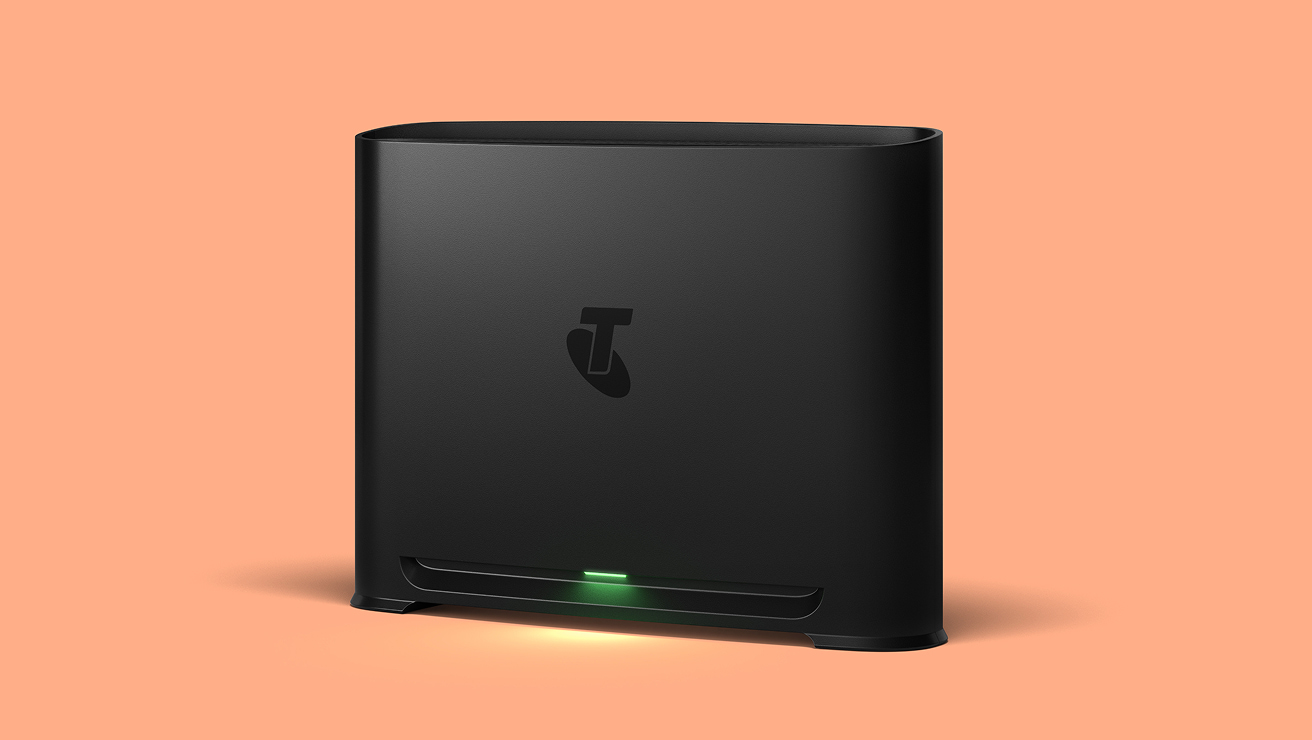
Telstra Smart Modem 4

Telstra Smart Modem 4

Life moves fast. You need a modem that keeps up.
  • Next-gen Wi-Fi 7 technology for Wi-Fi 7 devices
  • Advanced security and parental controls to help keep everyone safe online
  • Easy set-up in minutes
  • 2GB of RAM to easily handle over 250 devices
$240 In stock
Available now with free delivery
Bringing your own modem?

If you're using your own modem, we will not know if it supports the full speed of your selected plan. Please check your modem’s specs to confirm compatibility. You should be able to find this on your modem’s label, instruction manual or the modem manufacturer’s website.

You will also need a Cat5e or higher ethernet cable to achieve your plan speed (the cable type is printed in small text along the cable itself).

Bringing your own modem?

If you're using your own modem, we will not know if it supports the full speed of your selected plan. Please check your modem’s specs to confirm compatibility. You should be able to find this on your modem’s label, instruction manual or the modem manufacturer’s website.

Total in cart

$/mth
$ one-off
$ one-off
Your original discount offer still applies. Monthly discount may end early if you change plans.
Submitting Go to checkout

Something went wrong. Please try again.

With Telstra Home Internet

Security

Helping keep you safe online

We block millions of cyber threats every day and monitor our network 24/7 to help protect against suspicious activity.

Flexibility

Your plan, your way

Choose a plan that suits your needs. Whether you take up our modem or bring your own, we’ve got an option for you.

SUPPORT

Help that’s close to home

Get the help you need from a range of Aussie-based support. Message us online, call our local team or visit your local store.

SPEED

Speed that leads

Rated #1 by the ACCC for nbn average download speeds. ACCC, Measuring Broadband Australia, June 2025.

Got a need for speed?

With a free nbn upgrade to full fibre, you could access nbn’s new higher speed plans.
Check your address to see if you’re eligible.

Select addresses only. Eligible plan required. Free upgrade for standard installation only. Additional charges may apply if you require equipment to be installed in a specific location.

Frequently asked questions

Every household is different, so start by thinking about how many people use the internet in your home, and what they use it for. Are there just a few of you streaming and browsing? Or are you a family who all love streaming and gaming at the same time? Then think about speed; generally, the more devices and data-intensive apps being used at once, the higher the speed you’re likely to need. You can compare Telstra home Wi-Fi plans and read the ‘Great for’ descriptions to find which WI-FI plan is right for you.

Our Internet Only plans give you just what you need to get online: a reliable internet connection and the flexibility to bring your own modem or choose one from us.

If your home needs more, our plans with a reliable internet connection, Telstra Smart Modem included for use and phone line offer more features. Including extras, like SmartFix that scans for internet connection issues and can solve them automatically and mobile network backup, which can help you stay connected even if something goes wrong.

Mobile coverage required. Speeds capped at 25/5 Mbps. Actual speeds may be lower.

You can change plans within the same plan type once a month or cancel anytime. If you cancel, change to a plan without voice or to a different tech type, within 24 months, simply return your modem or pay a $200 non-return fee.


If you would like to move between an Internet Only nbn plan and an nbn plan with Telstra Smart Modem included for use, call 13 22 00.

It depends on the modem and the type of internet connection (e.g. FTTP, FTTN, HFC). If your modem supports the required technology and settings, it might work, but set up may require manual configuration.


For help with set up and troubleshooting, refer to our BYO modem setup guide or How do I check if my BYO modem is compatible?

Telstra nbn plans with modem and phone line all include a Telstra Smart Modem 4 with mobile network backup. So if there’s an nbn outage, the modem switches to our mobile network to help keep you connected. Once the outage is fixed, the modem switches back. In many cases, you won’t even know this has happened.

Telstra Smart Modem 4 included for use for new nbn with voice services. If you cancel, change to a plan without voice or to a different tech type, within 24 months, simply return your modem or pay a $200 non-return fee. Backup available with eligible plans only. Mobile coverage required. Speeds capped at 25/5 Mbps. Actual speeds may be lower.

Different homes have different  types of internet available to them, and nbn may not be suitable for you. Is 5G in your area, or do you need satellite? 

The easiest way to find out which type of internet is best for your home is to check your address. 

Telstra’s range of tech solutions covers nbn, 5G internet, Satellite internet and Opticomm internet. So no matter where you live, we’ll find the best tech solution to suit your home. Check your address now

5G Internet available in select areas and eligible customers only, limited
number of services available per postcode. Satellite Home Internet
availability subject to Starlink’s satellite network capacity.

When you bring your own modem:
If you bring your own modem and no technician appointment is needed, you could be online in as little as 24 hours.


When you use our Telstra Smart Modem:
We’ll usually get you connected in 3-6 days after processing your order.


If you’re using a Telstra Smart Modem, expect it to arrive in:

  • 1–3 days for metro areas
  • 3–5 days for regional area

A technician may visit for a fibre upgrade or new connections, which may come with charges and longer connection times.

Self-install your modem for $0

If you choose a Telstra nbn plan ‘with modem and phone line’, a Telstra Smart Wi-Fi Modem is included for use. You can set it up yourself - no tech skills required.

Professional install

You can get your modem and gear connected by a Telstra professional technician for a one-off fee of $230.

Additional costs apply for non-standard installations if you have complex cabling requirements.

New Development Charge

If you’re in a new development without existing phone or internet infrastructure, nbn co may impose a $300 New Development Charge (NDC) to connect you to the nbn network. This includes new lots, subdivisions, and granny flats with a separate address from the primary residence.  If applicable, we will bill that charge to you , and we will let you know at the time of confirming your order and you will have the option to cancel.

Additional costs may apply for non-standard or professional installation of Telstra or nbn co equipment and for premises in new developments. Once you are connected to nbn fibre, you won’t be able to move to our copper network.

  1. The nbn upgrade is a free connection upgrade to Fibre to the Premises (FTTP) technology provided by nbn co ltd. 
    It gives you access to choose higher speed Home Internet plans, which will allow you:
    Stream on more devices in ultra HD
  2. Download faster and experience smoother game play
  3. Enjoy greater reliability with less interruptions
  4. Future-proof your home with nbn's fast fibre.

How do I get the nbn upgrade?

To get the upgrade from nbn co ltd. you need to be on an FTTC or FTTN connection in a selected area and meet the nbn requirements for eligibility.
To find out if you're eligible, enter your address in the address checker at the top of the page. If you are eligible, you’ll see a message telling you the upgrade is available. The next steps are easy:

  1. Choose an eligible high-speed plan
  2. Fill out the fibre upgrade request form that you'll receive.
  3. Place your order

The free nbn fibre upgrade is for standard installation only.

They’re faster internet speed tiers which nbn co has made available through providers like Telstra. If you're an eligible customer on Fibre to the Premises (FTTP), Hybrid Fibre Coaxial (HFC) nbn or an Opticomm connection—and you have Telstra’s Premium, Ultimate or Ultrafast Home Internet plan—you can access these upgraded nbn speeds.

The new high speed tiers come with faster download and upload speeds than current nbn plans. They can help give you a better internet experience, especially if your household has multiple connected devices that might be streaming in 4K, gaming and making video calls all at once.

The speed upgrade will be applied automatically to eligible services at no extra cost.

The speeds are:


Telstra Upfront

Premium

Telstra Upfront

Ultimate

Telstra Upfront

Ultrafast

New Speed Tier

For FTTP and HFC nbn connections

500 Mbps download / 50 Mbps upload 750 Mbps download /50 Mbps upload 1000 Mbps download / 100 Mbps upload

New Typical Busy Period Speeds (7pm-11pm)

For FTTP and HFC nbn connections 

450 Mbps* download / 40 Mbps upload 675 Mbps* download / 40 Mbps upload 815 Mbps download / 80 Mbps* upload

*We currently lack sufficient data to determine the typical busy period speeds for this plan 7pm-11pm - the information here is an estimate only. We will update the speeds once sufficient data is available. Actual speeds experienced may be lower and may vary due to factors including modem and cabling and in-home set up and wiring.

To get the new speeds, you need to have the Telstra Premium, Ultimate or Ultrafast Home Internet Plan and be connected to Fibre to the Premises (FTTP) or Hybrid Fibre Coaxial (HFC) technology.   

If you're not on Fibre to the Premises (FTTP) or Hybrid Fibre Coaxial (HFC), you'll need to upgrade your nbn connection to access the new speeds and make sure you're on an eligible plan. Learn how on our nbn® tech upgrade page.

No, the current plan prices have not changed with the nbn speed upgrade - only the speeds they come with has changed.

Our Home Internet plans are flexible, allowing you to switch plans as your requirements evolve. If you leave within 24 months, simply return your Wi-Fi modem, or pay a $200 non-return fee.

Telstra Home Internet plans include a range of industry-leading security measures to keep you safer online.
  • 24/7 network monitoring using the latest technologies to block millions of malicious calls, emails and websites every day.
  • 2-step verification via the My Telstra app, so you’re protected by more than a password. 
  • The latest WPA3 security protocols and advanced encryption in the Telstra Smart Modem 4 to help protect your privacy and data.

Included for use for new internet with voice services and 5G internet services. If you cancel, change to a plan without voice or to a different tech type, within 24 months, simply return your modem or pay a $200 non-return fee.

Compare Home Internet plans

The best way is to start with a powerful Wi-Fi modem. If you purchase a Telstra Home Internet plan with modem and phone line, the Telstra Smart Modem 4 is included for use. It’s designed to maximise your Wi-Fi performance and includes the latest Wi-Fi 7 technology.
You can also optimise your Wi-Fi coverage by following our tips to Improve Wi-Fi range and speeds. The tips can also be used if you have your own non-Telstra modem - ie: you are on an ‘Internet only’ Telstra plan.
You can also log into My Telstra and under your ‘Internet and phone’ service, tap on ‘Improve your connection’ for a range of options including speed tests and troubleshooting.

Things you need to know

Important

An nbn service can never go faster than the maximum line speed available at your premises, so for FTTN/B/C customers we will confirm your maximum attainable speed after connection and let you know if your line is not able to achieve the maximum speed of your plan.
The ‘typical busy period speeds’ are not measures of customers’ actual in-premises speeds, which may be slower. Not all customers receive these speeds. 
Find out more about speeds for Telstra customers on the nbn network  & Opticomm access network.

Plan prices

Your plan and add-ons may change (including price and inclusions). If you don’t like a change, you can change your plan or cancel your plan or add-ons. If you cancel, just pay out your device, accessories and services in full.

High speeds

We’re still calculating typical busy period upload speeds 7pm-11pm on Ultrafast - the information here is an estimate only. Speeds experienced may be lower due to factors including modem and cabling and in-home setup/wiring. Plan avail. on FTTP and HFC connections only. For ordinary personal domestic use. For important information on speeds see nbn key facts sheet (PDF, 81KB) Opticomm key facts sheet (PDF, 39.8KB)

Service Availability

Services not available to all areas or premises.

Medical security alarms, lift phones and fire indicator panels

If you have a back-to-base security alarm or medi-alert connected to your home phone service, it’s important you contact your medical or security provider to check if they’re compatible with the nbn network or the Opticomm access network and identify what alternatives are available.

nbn® New Development Charge

If you’re in a new development without existing phone or internet infrastructure, nbn co may impose a $300 New Development Charge (NDC) to connect you to the nbn network. This includes new lots, subdivisions, and granny flats with a separate address from the primary residence. If applicable, we will bill that charge to you  and we will let you know at the time of confirming your order and you will have the option to cancel. Extra charges may apply for non-standard or professional installation of Telstra or nbn co equipment and for premises in new developments. Once you are connected to nbn fibre, you won’t be able to move to our copper network.
nbn®, nbn co and other nbn® logos and brands are registered trade marks of nbn co limited and used under licence.

Promo codes

To redeem a code, choose your product or plan and add it to your cart to start the checkout process. Apply the code when you’re reviewing your cart, under the heading ‘Promo code’. You have three attempts to add. If you exceed this, the code will be invalid. Once you’ve added the code, your cart will display the discounted price.

Telstra Plus

Must be 18+ with an active Telstra-branded service. Points are earned on the cash component of eligible products purchased outright or on a repayment option, and service purchases (excludes cancelled, refunded, or returned products or services). Points expire 3 years from earning. Marketing opt-in required (preferences can be changed). Excludes Telstra Enterprise and Corporate accounts. See the Telstra Plus program terms and conditions.

Home Internet Bonus points

Bonus points will be applied to your account within 14 days. Not compatible with other offers.

Important

An nbn service can never go faster than the maximum line speed available at your premises, so for FTTN/B/C customers we will confirm your maximum attainable speed after connection and let you know if your line is not able to achieve the maximum speed of your plan.

The nbn® tier figures represent wholesale maximum network speeds during off-peak periods. The nbn® tier figures and ‘typical busy period speeds’ are not measures of customers’ actual in-premises speeds, which may be slower. Not all customers receive these speeds. In some cases, the nbn® tier figures and the typical busy period speeds are similar. Find out more about speeds on the nbn network with Telstra.

Plan prices

Your plan and add-ons may change (including price and inclusions). If you don’t like a change, you can change your plan or cancel your plan or add-ons. If you cancel, just pay out your device, accessories and services in full.

High speeds

We’re still calculating typical busy period upload speeds 7pm-11pm on Ultrafast - the information here is an estimate only. Speeds experienced may be lower due to factors including modem and cabling and in-home setup/wiring. Plan avail. on FTTP and HFC connections only. For ordinary personal domestic use. For important information on speeds see nbn key facts sheet (PDF, 81KB) Opticomm key facts sheet (PDF, 39.8KB)

Service Availability

Services not available to all areas or premises.

Installation

Standard installation includes self-installation of your modem, eligibility criteria applies. Extra charges apply for non-standard installation of Telstra and NBN Co equipment and for premises in new developments.

Telstra Smart Modem 4

Mobile backup is available with eligible plans only and to premises in mobile coverage areas. Check coverage at telstra.com/coverage. Your mobile backup connection is capped at 25Mbps for downloads and 5Mbps for uploads.

nbn® New Development Charge

If you’re in a new development without existing phone or internet infrastructure, nbn co may impose a $300 New Development Charge (NDC) to connect you to the nbn network. This includes new lots, subdivisions, and granny flats with a separate address from the primary residence. If applicable, we will bill that charge to you and we will let you know at the time of confirming your order and you will have the option to cancel. Extra charges may apply for non-standard or professional installation of Telstra or nbn co equipment and for premises in new developments. Once you are connected to nbn fibre, you won’t be able to move to our copper network.

Mobile network backup with Telstra Smart Modem 4

Mobile backup is available to premises in mobile coverage areas. Check coverage at telstra.com/coverage. In the event of a fault on the nbn, our Smart Modem can switch your service to our mobile network automatically. We’ll switch your service back to the nbn when the fault is resolved.

The mobile network backup service is uncapped and unshaped when there’s a fault. This means there is no limit on data allowance or speed, and it's included in the plan, so you don't have to worry about additional charges. Mobile coverage required. Only available with eligible plans.

Modem included for use with new nbn with voice services. If you cancel, change to a plan without voice or to a different tech type, within 24 months, simply return your modem or pay a $200 non-return fee. Backup available with eligible plans. Mobile coverage required.

Medical security alarms, lift phones and fire indicator panels

If you have alarms such as back-to-base security alarm or medi-alert connected to your home phone service, it’s important you contact your medical or security provider to check if they’re compatible with the service and identify what alternatives are available.

nbn®, nbn co and other nbn® logos and brands are registered trade marks of nbn co limited and used under licence.

Telstra Plus

Must be 18+ with an active Telstra-branded service. Points are earned on the cash component of eligible products purchased outright or on a repayment option, and service purchases (excludes cancelled, refunded, or returned products or services). Points expire 3 years from earning. Marketing opt-in required (preferences can be changed). Excludes Telstra Enterprise and Corporate accounts. See the Telstra Plus program terms and conditions.

Home Internet Bonus points

Bonus points will be applied to your account within 14 days. Not compatible with other offers.

Service availability

Service not available to all areas or all premises. Initial checks may show you are eligible for this service however actual availability will be confirmed after order.

Voice services

This plan does not include a fixed voice service and you will not be able to use it to make or receive calls or support a lift, security or medical alarm.

Speed

Speeds experienced may be slower over Wi-Fi and can also be impacted by other factors such as the distance and line of sight between the serving 5G mobile tower and the modem, the number of users online, where your modem is located and how far you are from it, weather, congestions and your in-home set up.

Data allowance

Once you exceed your included data allowance, your download speed will be capped at 25Mbps, and slowed further in busy periods until your next billing month. There is no option to top up your data or move to a higher data plan.

Cancellation

If you cancel your plan in the first 24 months your modem must be returned via our eParcel service (we will provide details in an email to you once you cancel) in good working order within 21 days of cancellation or you will charged a $400 non-return fee.

Questions about Telstra Home Internet?

My Telstra app

Manage your services, pay bills, move house, change plans or start a chat.

Get support

There are no dumb questions, just frequently asked ones! Find all the answers here.

Send us a message

Got a specific question or request? Message us and we’ll get back ASAP

Contact us

If you need to talk, we’re here. Get in touch and ask us anything at all. 

upgrade your connection

How fast do you want to go?

Get a free fibre upgrade to access our high-speed plans.
Plus enjoy less dropouts and more reliable internet when you upgrade to full fibre from nbn co. Explore our plans to learn more.
Our high speed plans require FTTP or HFC tech types on an eligible plan. Free upgrade for selected addresses on an eligible plan.
upgrade your connection

Does your business need more speed?

Get a free fibre upgrade to access our new fast speed nbn® plans.
Plus enjoy less dropouts and more reliable internet when you upgrade to full fibre from nbn®. Free upgrade for standard installation only. Explore our plans to learn more.