Checking availability

Stream. Game. Work.
Telstra Satellite Home Internet - regional internet that can keep up.
Check your address
Find out if Satellite Internet is available to you.
We found multiple addresses. Please select yours from the list below.
Great!
Available
You can get Telstra Satellite Internet.
Multi PRI Header
Multi PRI Body
Address check not available
Choose Satellite Internet that really flies
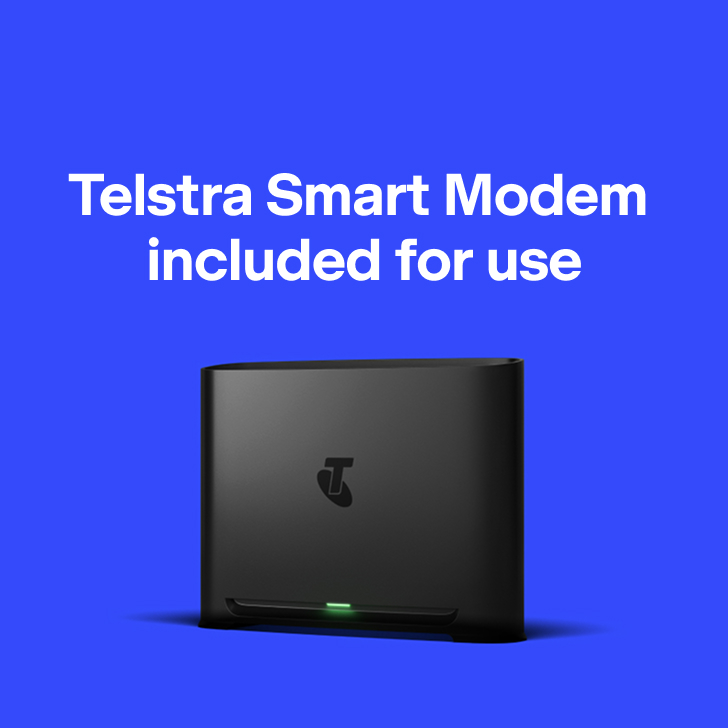
Includes a Telstra Smart Modem 4 for use, phone line and a backup connection on the Telstra mobile network for eligible areas.
Satellite Home Internet
Powered by Starlink
$150 Monthly
Plus the cost of the Standard Starlink Kit.
Plan price may change.
Plan price may change.
Plan speeds
Estimated typical speeds 7pm - 11pm-
170-320Mbps download
-
20-40Mbps upload
Important: We're still calculating typical speeds on this plan - the information here is an estimate only based on limited preliminary testing. Actual speeds are yet to be confirmed.
Your Starlink antenna needs an unobstructed view for optimal performance. Typical speeds may vary due to factors like Starlink antenna location, satellite congestion and network prioritisation. Severe weather can briefly disrupt service.
If you leave within 24 months, return modem or pay a $200 non-return fee.
Your Starlink antenna needs an unobstructed view for optimal performance. Typical speeds may vary due to factors like Starlink antenna location, satellite congestion and network prioritisation. Severe weather can briefly disrupt service.
If you leave within 24 months, return modem or pay a $200 non-return fee.

Add Starlink Kit
-

Starlink Standard
Outright$549
Includes
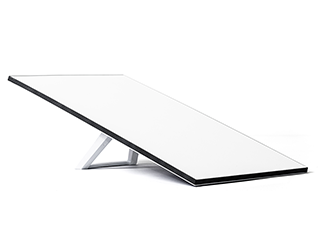
- Starlink Kit dish
- All cables and power supply
- Starlink kickstand for ground mounting
Roof mount and optional accessories not included.
Trust professionals with your install
For a one-off $650 fee (GST incl.) book a Telstra technician to install and mount your Starlink Kit and activate your service for you.

Satellite Tech Pro Home installation includes:
- Site survey, so your technician can assess the best antenna location and talk you through it first.
- Professional grade roof installation, backed by a 2 year warranty.
- Telstra wind-rated roof mount.
- Internal cabling from roof antenna to the modem.
- Working service check with 3 Wi-Fi devices connected.
To book this service just add professional install to your cart.
What’s included in our satellite plan?
Phone with included calls
Get a home phone landline at no extra cost, plus unlimited calls to standard Australian mobiles and landlines.
Aussie-based support
Get help from a range of customer support centres including calling our local team.
Free delivery across Australia
We deliver to you free and within 5 business days regional.
Rewards that take you further
Discover all the ways Telstra Plus gives you that little bit extra - unlock savings and surprises and enjoy even more of the things you love.
Eligibility criteria apply to join Telstra Plus.
Questions about Telstra Satellite Internet
No, Telstra Satellite Internet is for the home address connected to your plan. You can’t use it while travelling or on moving vehicles, including:
- cars
- vans
- RVs
- boats
- aircraft.
Yes, there are guides included to help you install the Starlink Kit and set up Telstra Satellite Internet yourself.
If you’re not tech savvy, don’t worry. We offer a Satellite Tech Pro Home installation option. For a one-off installation charge of $650 (GST incl.), one of our technicians will come to your address and install it for you.
You also get:
- Site survey, so your technician can assess the best antenna location and talk you through it first.
- Professional grade roof installation, backed by a 2 year warranty.
- Telstra wind-rated roof mount.
- Internal cabling from roof antenna to the modem.
- Working service check with 3 Wi-Fi devices connected.
To book this service just add professional install to your cart.
Both can help connect homes in regional and rural areas, but they work in different ways:
Satellite Home Internet
- Satellite Home Internet connects to satellites in the sky using a Starlink Kit.
- Satellite Home Internet may be available in more remote locations.
- Satellite Home Internet needs a clear view of the sky for the best performance.
Nbn Fixed Wireless
- Fixed Wireless connects to a nearby nbn wireless tower using an antenna installed at your home.
- Fixed Wireless relies on a connection between your home antenna and the local nbn tower.
Yes, your Telstra Satellite Internet plan includes a home phone service. You get unlimited calls to standard Australian mobiles and landlines.
Telstra Satellite Internet is made for many rural and regional addresses. It may also be available in some urban areas.
To find out if Satellite Internet is available where you live, enter your address in our address checker.
Once you’re happy with your Telstra Satellite Internet service, you will need to cancel your old internet service to avoid paying for two services at the same time. To cancel your old service, contact us.
Your Starlink antenna needs an unobstructed view of the sky to connect with the satellites overhead. Trees, buildings and other obstacles can block the signal and affect your connection.
Low latency means information can travel quickly between your device and the internet:
- Latency is the time it takes for information to travel between your device and the internet
- Lower latency can help with video calls, online gaming and other activities where timing matters
- Starlink uses low Earth orbit satellites, which are closer to Earth than some older satellite services.
Yes. If you already have a Starlink Standard 4, 4X or newer, you can use it with a Telstra Satellite Internet plan.
To transfer your Starlink Kit to Telstra:
- Cancel your existing Starlink service through the Starlink customer portal on the Starlink website. Find the ‘Cancel service’ option under the ‘Manage’ section.
- Unlock your Starlink Kit from your account by selecting ‘Transfer’ after cancellation. This option is also under ‘Manage.’ Note that your service will stop once the kit transfer is complete.
- Provide Telstra with your Starlink Terminal ID or Kit Serial Number during the ordering process.
Need to know:
- Your Starlink service will stop once the kit transfer is complete
- Visit Starlink Support and search ‘transfer to a reseller’ for more information
- Contact Starlink Support if you need help with the transfer process.
- Your Starlink Terminal ID can be found in the Starlink app when your kit is powered on.
- Your Starlink Kit Serial Number can be found on the shipping label that came with your kit.
Things you need to know
Service Availability: Services not available to all areas or premises. Initial checks may show you are eligible for this service however actual availability will be confirmed after order.
Speed: We’re still calculating typical speeds on this plan - the information here is an estimate only based on limited preliminary testing. Actual speeds are yet to be confirmed. Typical speeds may vary due to factors including Starlink Kit location, weather conditions, satellite congestion, sky visibility and the precedence Starlink gives your data on its network.
Telstra Smart Modem 4: Mobile backup is available with eligible plans only and to premises in mobile coverage areas. Check coverage at telstra.com/coverage. Your mobile backup connection is capped at 25Mbps for downloads and 5Mbps for uploads, except on Telstra Upfront Business Internet plans. Actual speeds may be lower due to local conditions and content accessed.
Medical security alarms, lift phones and fire indicator panels: If you have alarms such as back-to-base security alarm or medi-alert connected to your home phone service, it’s important you contact your medical or security provider to check if they’re compatible with the service and identify what alternatives are available.
Cancellation: If you cancel your plan in the first 24 months your modem must be returned via our eParcel service (we will provide details in an email to you once you cancel) in good working order or you may be charged a $200 non-return fee.
Starlink: Telstra is an authorised Starlink reseller.
Need more help?
My Telstra app
View your services, pay your bill, troubleshoot tech issues, contact us via messaging and much more.
Support
You'll find more information about Telstra Satellite Internet in our Support section.
Send us a message
Questions about Telstra Satellite Internet? Get in touch and we'll help you as soon as we can.
Contact us
We're here to answer your questions.
