Step
The Galaxy S26 Ultra is the powerhouse of Samsung’s flagship series, with
- a vivid 6.9-inch AI-powered display, with in-built privacy settings1,2.
- intelligent Galaxy AI for intelligent photo editing, smarter search and more3,4,5.
- all-day performance powered by a self-optimising and ultra fast-charging battery6.
- a 200MP Wide camera and upgraded ProVisual Engine.
- S Pen functionality.
- an ultra-slim design in a range of colours7.
Legal disclaimers
The information and claims in this features accordion are provided by Samsung. Samsung takes all reasonable steps to ensure the information is accurate and complete.
- Measured diagonally, the Galaxy S26 Ultra’s screen size is 6.9” in the full rectangle and 6.7” accounting for the rounded corners. Actual viewable area is less due to the rounded corners and/or camera hole.
- Use of screen protectors may impact the performance of the feature. Use of the feature may affect visibility of the screen and may not be suitable for users with vision or accessibility requirements.
- Basic Samsung Galaxy AI features are free. Future releases may be offered on a paid basis. Different terms may apply for third party AI features.
- AI-Assisted editing requires Samsung Account and a network connection. Results may vary.
- Requires Samsung Account and internet connection. Only compatible with Samsung Internet app. Translation might not be accurate.
- Results may vary.
- Depending on availability and region.
New Galaxy S26 Ultra
Galaxy AI

Refined design
The new ambient island camera design flows seamlessly into the rest of the device for a refined finish.

Sleek and durable
Crafted with an Armour Aluminium frame, fitted with Corning® Gorilla® Glass and engineered for water resistance, this Galaxy is as tough as it is sophisticated6,7,8Refer to legal disclaimer.

Our slimmest Ultra yet9Refer to legal disclaimer
The balanced design delivers our slimmest Ultra yet, bringing together elegance and comfort that fits naturally in your hand9Refer to legal disclaimer.

Customised processor for Galaxy
Our powerful processor is engineered to unlock the full potential of Galaxy AI for heavy multitaskers, powering a customised image enhancer that sharpens and smooths visuals across apps and content in real time10Refer to legal disclaimer.

The world’s first Privacy Display on mobile
Meet built-in privacy screen on Galaxy S26 Ultra. When switched on, Privacy Display will protect your private information by hiding your full screen. Or, choose what you want to hide such as certain apps, notifications, or PINs1Refer to legal disclaimer.

Upscale your viewing experience
Colour depth processing precision has improved, leveraging mDNIe to ensure you see colour and gradation as the creator intended. ProScaler also enhances details with AI processing improvements, resulting in clearer images9,11Refer to legal disclaimer.

Play it cool with our largest Vapour Chamber ever9Refer to legal disclaimer
Enjoy heavy-spec games and Galaxy AI thanks to Snapdragon® 8 Elite Gen 5 for Galaxy. With advanced thermal management from the new Vapour Chamber design, heat is dissipated faster and more efficiently12,13Refer to legal disclaimer.

Ultra-fast charge. Ultra-long lasting
Galaxy S26 Ultra supports Super Fast Charging 3.0, engineered to refuel your device at blazing speeds without impacting battery health or your time14Refer to legal disclaimer.

Check the specs on our best camera system9Refer to legal disclaimer
Galaxy S26 Ultra provides Nightography with wider apertures and noise reduction to deliver clear and detailed videos in low light3,4,15Refer to legal disclaimer.

Clear and bright, even at night9,16Refer to legal disclaimer
Captured by Galaxy S26 Ultra #withGalaxy

Super Steady Video. Even on the go
Super Steady's Horizontal Lock feature combines expanded optical angles with gyro and acceleration sensors to recognise the direction of gravity and keep your shots level, even if you rotate a full 360°17Refer to legal disclaimer.

High resolution with Ultra 200 MP
With a 200 MP Wide camera sensor enhanced by our ProVisual Engine, Galaxy S26 Ultra is engineered to capture the finest details. High-res image data is analysed in real time to maintain crisp textures and clarity4Refer to legal disclaimer.

100x AI-powered Space Zoom
Bring far away into focus, from 1x optical perfection to staggering 100x AI-powered Space Zoom — stabilising your view and enhancing clarity instantly18Refer to legal disclaimer.

Editing, without editing
Get quick and easy photo editing with just a few words and AI. Add objects, such as accessories on photos of your pet by naturally describing the edits you wish to make, and Galaxy AI will realise your vision in minutes19,20Refer to legal disclaimer.

From photos to stickers in a tap
Mix sketches or photos with text that match your imagination. With a simple text description or a rough sketch outline, Galaxy AI produces the creations. Then, add the set to your keyboard or share it with your friends21Refer to legal disclaimer.

Smart suggestions, when it matters
The new Now Nudge can pick up on context on your screen and prompt you with helpful shortcuts. It intelligently minimises the steps to your next action and even provides Autofill suggestions22Refer to legal disclaimer.

Find it fast and easy
Reservation and appointment details are now just a quick search away. On the home screen, use Finder to look for information, then one search brings things together for you to remember where things are23Refer to legal disclaimer.

On-device Protection
Our Personal Data Engine gathers and processes your personal data safely. Then it encrypts that data and saves it onto your device with KEEP and Knox Vault, making it harder for anyone else to gain access24,25Refer to legal disclaimer.
Tailored controls
Take control over your Galaxy AI. You decide where it gets processed, either on-device or in the cloud26Refer to legal disclaimer.
Connected Security
Knox Matrix Trust Chain technology provides security across Galaxy connected devices so you can monitor the security of other devices right from your Galaxy smartphone.

Your Galaxy. Your way
One UI 8.5 personalises your Galaxy based on how you use it day-to-day. Designed to be simple and intuitive, contextual reminders from Galaxy AI features make daily tasks easier in just a tap22,27,28Refer to legal disclaimer.

Hi-Fi duet that keeps you in sync
Pair Galaxy S26 Ultra with Galaxy Buds4 Pro for an effortless sound setup. Whether you’re listening to Hi-Fi audio or making Super Clear calls, it’s a seamless ecosystem designed to keep everything connected and keep you moving29Refer to legal disclaimer.

Certified care by Samsung experts
Get some added peace of mind for your Samsung Galaxy device with Samsung Care+ - certified care by Samsung experts from life's little drops, spills and breakdowns30Refer to legal disclaimer.

Legal disclaimers
The information and claims in this features accordion are provided by Samsung. Samsung takes all reasonable steps to ensure the information is accurate and complete.
Hero: Image simulated. Samsung account login may be required for certain AI features.
- Privacy Display feature controls the screen's viewing angle to limit peripheral vision. Some changes in image quality may occur outside the viewing angle. When activated, some information may still be visible to others depending on the viewing environment, such as angle or brightness. Caution is advised when exposing sensitive information. Available for specific apps once they are manually enabled in Settings. Use of screen protectors may impact the performance of the feature and may not be suitable for users with vision or accessibility requirements.
- AP performance improvements shown compared to Galaxy S25 Ultra. Actual performance will depend on user environment, conditions and pre-installed software and applications.
- Brightness improvements shown compared to Galaxy S25 Ultra.
- Results may vary depending on light condition and/or shooting conditions including multiple subjects, being out of focus or moving subjects.
- Samsung Account may be required to use certain AI Photo Assist features. Edit Suggestion is compatible with JPG, PNG. GIF and MP4 formats. Edit results may vary depending on the photography or filming condition. Images generated by the Live Effect feature will be saved in MP4 format. Editing with Generative Edit results in a resized photo up to 12MP. Editing with Portrait Studio results in a resized photo up to 9MP. A visible watermark is overlaid on the image output upon saving in order to indicate that the image is generated by AI. Accuracy of results is not guaranteed.
- Armour Aluminium frame does not include volume and side keys, SIM tray or camera lens barrel.
- Corning® Gorilla® Armour 2 is applied to the front of the device and Corning® Gorilla® Glass Victus® 2 is applied to the rear.
- Galaxy S26 Ultra has an IP68 rating based on lab test conditions and is dust resistant and water resistant for submersion in up to 1.5 metres of freshwater for up to 30 minutes. Not advised for beach or pool use. Ensure the charging port is dry before charging. Please refer to your device's user manual for further care instructions and limitations. No ingress of dust; complete protection against contact (dust-tight). Water and dust resistance of device is not permanent and may diminish over time because of normal wear and tear.
- Compared to previous models.
- AP performance improvements shown compared to Galaxy S25 Ultra. Actual performance will depend on user environment, conditions and pre-installed software and applications.
- ProScaler feature is supported on Galaxy S26+ and Ultra models. Image quality can be enhanced up to QHD+, depending on the screen resolution setting of the device.
- Snapdragon branded products are products of Qualcomm Technologies, Inc. and/or its subsidiaries. Snapdragon is a trademark or registered trademark of Qualcomm Incorporated.
- Vapour Chamber performance improvements shown compared to Galaxy S25 Ultra. Actual performance will depend on user environment, conditions and pre-installed software and applications.
- Actual battery life varies by network environment, features and apps used, frequency of calls and messages, the number of times charged, and many other factors.
- Optical quality zoom is enabled by the Adaptive Pixel sensor. 3x and 5x distances are optical zoom. 2x and 10x distances are optical quality zoom.
- Results may vary depending on light condition and/or shooting conditions including multiple subjects, being out of focus or moving subjects. Subject must be steady, any small movement can lead to blurry photos.
- Super Steady results may vary depending on editing method and/or shooting conditions.
- 100x Space Zoom includes 10x optical quality zoom and 100x digital zoom with Super Resolution technology. Zoom distances past 10x zoom may express some image deterioration. AI Zoom is applied to distances between digital zoom lengths. Accuracy of results is not guaranteed.
- Generative Edit feature for Photo Assist requires a network connection and Samsung Account login. Editing with Generative Edit may result in a resized photo. A visible watermark is overlaid on the image output upon saving in order to indicate that the image is generated by AI. The accuracy and reliability of the generated output is not guaranteed. Contains AI-generated images with edits.
- Samsung Account may be required to use certain AI Photo Assist features. Edit Suggestion is compatible with JPG, PNG. GIF and MP4 formats. Edit results may vary depending on the photography or filming condition. Images generated by the Live Effect feature will be saved in MP4 format. Editing with Generative Edit results in a resized photo up to 12MP. Editing with Portrait Studio results in a resized photo up to 9MP. A visible watermark is overlaid on the image output upon saving in order to indicate that the image is generated by AI. Accuracy of results is not guaranteed.
- Creative Studio feature requires a network connection and Samsung Account login. Service availability may vary by country, language or device model. The accuracy and reliability of the generated output is not guaranteed. Sticker sets only compatible with Samsung keyboard and can only be shared via Quick Share feature with other Galaxy devices that have One UI 5.0 or later installed and Quick Share app version 13.8.50.x or later.
- Now Nudge feature requires a Samsung Account login. Available functions and features may vary by country, region and language. Text message prompts available with certain third party messaging apps including Samsung Messages, Google Messages, Google Chat, WhatsApp, WhatsApp Business, KakaoTalk, LINE, Signal, Instagram (DM), Tango, NTT Docomo Messages, KDDI Messages. Share photos in Now Nudge works by analysing available image content. Accuracy of results is not guaranteed.
- Available functions and features from Search with Finder may vary by country, region and language. For advanced search, data can only be searched in the same language as current system setting. Supported apps currently include Calendar, Reminders, Notes, Call Recording, Voice Recording, My Files, Gallery and Settings. Notifications must be switched on to be used as the recalled data. Recalled data available from supported app notifications, Messages, Gmail and Samsung Wallet and data collected from Gmail is only applicable if the user consents to Personal Data Intelligent's Gmail read permission. Recalled data for reservation details only available from reservation confirmation messages.
- The Personal Data Engine functions under the condition that the Personal Data Intelligence menu is on. Analysed data will be deleted once the Personal Data Intelligence menu is turned off. Personal Data Engine recognises select languages and certain accents/dialects, including but not limited to Arabic, (Simplified) Chinese, Dutch, English, French, German, Hindi, Indonesian, Italian, Japanese, Korean, Polish, Portuguese, Romanian, Russian, Spanish, Swedish, Thai, Turkish, and Vietnamese. Personal Data Engine currently analyses Samsung native applications and supported app notifications.
- KEEP is available on Galaxy smartphones and tablets with One UI 8 or later.
- Samsung Account login required. Processing data only on your device allows advanced intelligence features to operate locally, rather than online. Enabling this option may limit the functionality of certain AI features that rely on online data processing for advanced capabilities.
- Now Brief feature requires Samsung Account login. Service availability may vary by country, language, device model and apps. Some features may require a network connection. Modes and Routines need to be enabled to use Personal Data Engine for context-based Routines suggestions. User needs to consent to access permissions such as photos, videos, audio files, and calendar events. May not display moments depending upon exposure policy. Energy Score requires health data tracked from Samsung Galaxy Watch or Galaxy Ring and is intended for general wellness and fitness purposes only. The description of photos provided by moments may not align with the user's intent. Notifications for dog walking require SmartTag2 and Pet Care in SmartThings to be activated. SmartTag2 sold separately. Events schedule notification is supported with calendar apps that utilise Android calendar database and available if Samsung Calendar is installed. Notifications for coupons only available for coupons added to Samsung Wallet with expiration date. Notifications must be switched on to be used as the recalled data. Recalled data available from supported app notifications, Messages, Gmail and Samsung Wallet and data collected from Gmail is only applicable if the user consents to Personal Data Intelligent's Gmail read permission. Recalled data for reservation details only available from reservation confirmation messages.
- Available functions and features may vary by country, region and language. Action capsules provided may differ depending on the model.
- Galaxy devices each sold separately.
- Terms and conditions apply. Samsung Care+ coverage, service type and promotion details may vary by country/region and deductive (service fee) may apply. To be eligible for Samsung Care+ promotion benefit, registration may be required. For detailed Samsung Care+ information, please visit Samsung Care Plus
Summary
| Manufactured by | Samsung |
|---|---|
| Brand | Samsung |
| Model | Galaxy S26 Ultra |
| Display | 6.9 inches |
| Storage | 256 GB, 512 GB, 1000 GB |
| Battery | 5000 mAh |
| RAM | 16 GB (on 1TB Storage variant only), 12 GB |
| Quick Charging | Yes |
| Operating System | Android 16 |
| Network Support 4GX | Yes |
| Network Support 5G (SA) | Yes |
| Network Support 5G (NSA) | Yes |
| Fingerprint Sensor | Yes |
Features
| Other Sensors | Face recognition |
|---|
Performance
| Chipset | Qualcomm | SM8850 |
|---|---|
| RAM | 16 GB (on 1TB Storage variant only), 12 GB |
Design
| Width | 78.1 mm |
|---|---|
| Height | 163.6 mm |
| Thickness | 7.9 mm |
| Weight | 214 grams |
| Waterproof | IP68 |
Display
| Display Type | Quad HD+ Dynamic AMOLED 2X |
|---|---|
| Pixel Density | 499 ppi |
| Screen Size | 6.9 inches |
| Screen Resolution | 3120 x 1440 pixels |
Camera
| Front Camera | 12MP |
|---|---|
| Rear Camera | 200MP (wide) + 50MP (ultra-wide) + 50MP (telephoto) + 10MP (telephoto) |
Battery
| Quick Charging | Yes |
|---|---|
| Wireless Charging | Yes |
| Capacity | 5000 mAh |
| Talktime | 52 hours |
Connectivity
| Wi-Fi | Yes - Wi-Fi 7 compatible |
|---|---|
| Bluetooth | Yes |
| Bluetooth Version | V6 |
| USB | USB C |
| NFC | Yes |
| SAR Value | Head: 1.137W/Kg; Body: 1.352W/Kg |
| 4G Network | B1(2100), B2(1900), B3(1800), B4(AWS), B5(850), B7(2600), B8(900), B12(700), B13(700), B17(700), B18(800), B19(800), B20(800), B25(1900), B26(850), B28(700), B66(AWS-3), B38(2600), B39(1900), B40(2300), B41(2500) |
| 5G Network | N1(2100), N2(1900), N3(1800), N5(850), N7(2600), N8(900), N12(700), N20(800), N25(1900), N26(850), N28(700), N66(AWS-3), N38(2600), N40(2300), N41(2500), N77(3700), N78(3500) |
| eSIM | Yes |
| Dual SIM | Yes - Phyiscal Sim & eSim |
| Satellite Messaging | Compatible |
| Select Satellite Apps | Compatible |
| SIM Size | 4FF |
| Telstra Blue Tick | Yes |
- Device
- Ejection Pin
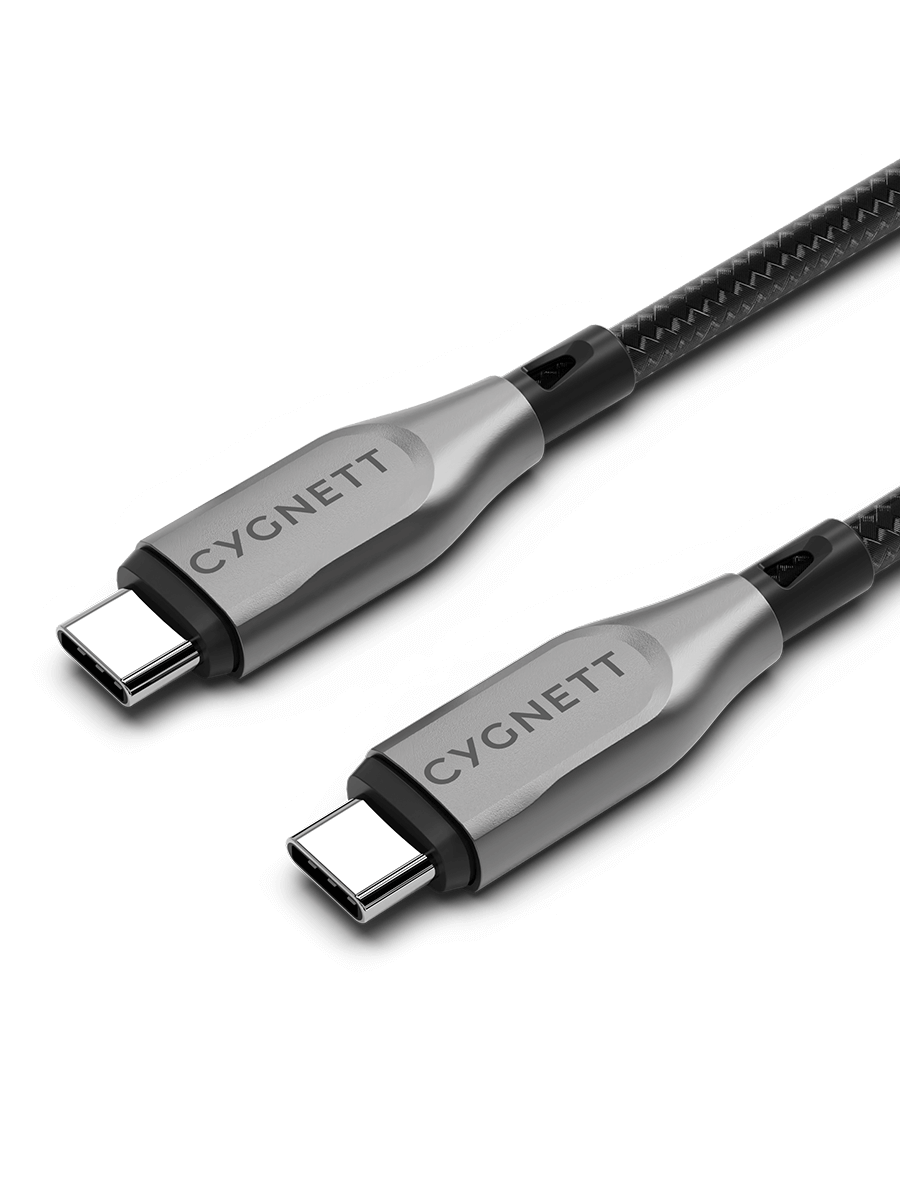
- USB Cable
- Warranty
- Quick start guide
This device also has a range of leading accessibility features. View accessibility features on GARI (opens new tab).
Plan prices
Your plan and add-ons may change (including price and inclusions), or we may move you to a new plan (which may cost more). If you don't like a change, you can change your plan or cancel your plan or add-ons. When you cancel, your service will be disconnected immediately. You'll need to pay out any remaining devices, accessories or services in full when you cancel.
Mobile discount for eligible concession card holders
Eligible customers who take up a Telstra Upfront Light, Basic, Bundle, Essential or Premium Mobile Plan will receive a 10% discount on their monthly plan charge. The 10% discount will be applied to your monthly plan fee after any other compatible discounts or promotions.
To be eligible for this offer you must have an eligible health care card, department of veteran affairs gold card or pensioner concession card.
If you change to an ineligible plan, cancel your plan, no longer have an eligible concession card, or we choose to withdraw this offer, the discount will no longer apply to your account.
To determine your eligibility for this offer, we need your Centrelink Customer Reference Number/File number.
By proceeding with this application, and providing us your details, you authorise us to use these details electronically to check your concession card status with the relevant government body to determine your eligibility for the concession card holder offer.
Promo codes
To redeem a promotional promo code, choose an eligible product or plan and add it to your cart to start the checkout process. In cart review, enter the promo code. You have three attempts to enter. If you exceed this, the promo code will be invalid. Once you add the promo code, your cart will display the discounted price. Roll onto Telstra’s standard month-to-month price after twelve months unless you change or cancel beforehand.
Telstra mobile network
Your service uses the Telstra Mobile Network, with 4G and 5G available in selected areas. Access to 5G requires a compatible device and, in some locations, may also depend on your plan and SIM. Mobile coverage availability and service experience will vary depending on factors including your location, device and local conditions. Check our predicted 4G and 5G mobile coverage map.
Telstra Satellite Messaging
To use Telstra Satellite Messaging, you need:
- a compatible phone with the latest software,
- a Telstra Upfront Mobile Plan, and
- to be located outdoors within our satellite network with a clear view of the sky.
Our satellite network will extend beyond the range of our mobile network to most outdoor areas on mainland Australia and Tasmania, excluding the Australian Radio Quiet Zone in Western Australia and remote offshore territories and islands of Australia.
Telstra Satellite Messaging is not designed to be an emergency service, as you cannot text Australian emergency responders directly. If you intend to visit remote regions, it is always recommended to plan ahead and take extra precautions in the case of an emergency.
Telstra Satellite Messaging is an intermittent service, so the experience of sending and receiving a message is different than via mobile connection. Some messages may take a few minutes or longer to send and receive, depending on location, device and availability of satellites.
Telstra Satellite Messaging cannot be used to:
- receive one-way messages (such as emergency broadcast messages)
- send or receive MMS
- send or receive instant messages that require the internet such as WhatsApp or RCS messages
- make or receive voice or video calls
- access data
- send or receive messages overseas
Plan speeds
Speeds may vary due to factors such as location, distance from the base station, local conditions, concurrent users, hardware and software configuration and download/upload destination. For 5G coverage information, check coverage map.
Data usage
This plan comes with a data allowance to use in Australia. You won’t be charged if you go over your monthly data allowance. Instead, you can continue to access data up to speeds of 1.5Mbps. 1.5mbps isn’t suitable for HD video or high-speed applications, and means that some web pages, social media content and files may take longer to load). In addition, heavy data users (users in the top 1% of all data users) may experience slower speeds than other users during busy periods. The speeds you actually receive may vary depending on a range of factors including your device, location, number of users and download sources. Your data allowance is for personal use in a smartphone or tablet in Australia only and the FairPlay Policy applies.
Compatible handset
Compatible Telstra mobile network handset required. Check your device's compatibility.
Device Payment Contract (DPC)
You must have an eligible Telstra Mobile Plan in order to have a DPC. If you cancel your DPC early, cancel your mobile plan during the device payment term or move to an ineligible mobile plan during the payment term, you’ll need to pay out your device, in full. Device discounts still apply to cancelled orders bought on repayment.
Talk, text and data
Excludes calls, SMS and MMS to premium numbers, some satellite numbers, and use overseas.
International Calling Pack
30 minutes of international calls and unlimited international SMS, to all countries, are included in our Upfront Mobile plans. Once you’ve used the 30 minutes, you can add an International Calling Pack to your plan from $10 per month. You can add or remove it at any time in the My Telstra app. International Calling Pack includes an allowance of calls from Australia to standard international numbers in eligible destinations. View eligible destinations here.
International roaming
The only way to use your service overseas is by purchasing an International Roaming day pass. You can purchase an International Roaming day pass at $5 per day in 7 eligible countries, or $10 per day in more than 80 eligible countries. Day pass Zone 1 and 2 packs include 2GB of data to use per day as well as unlimited talk and text. Usage expires at the end of a 24-hour day pass period. If you go over your 2GB, you can add an additional 2GB for $10 for use within 31 days. A day pass is triggered whenever a call is made or received, an SMS is sent or if any mobile data is used in an eligible destination.
If you’re travelling to a destination where our International Roaming day pass isn’t available, you cannot use your Telstra service.
Cancelling your plan
If you cancel your Telstra Upfront Mobile Plan, you will not receive a pro rata refund for the remainder of your month. If you have any device, accessory or service add-ons attached to your plan, you will have to pay any remaining amount owing as a one-off payment.
Changes to your plan
Your upfront mobile plan may change (including price and inclusions). With no lock-in, you can change your plan once a month or leave. If you leave, just pay out your device, accessories or services in full.
Trade-In
Trade-In is managed by Assurant Services Australia Pty Ltd. To be eligible for Telstra Trade-In, you must be a Telstra consumer or small business customer aged 18+, with a post-paid service and have a device, tablet or smartwatch with us on an Upfront plan or with an existing 13-digit account number. Not available to customers with a 10-digit account number.
Devices on Telstra Mobile Lease plans are ineligible. You may only trade in a device, tablet or smartwatch from Assurant’s list of eligible devices. You can click Telstra Trade-In Estimator to check whether your device is eligible for trade-in. The credit offer will vary depending on your device, tablet or smartwatch type, model and its working condition, and is subject to assessment.
The trade-in value of your eligible device, including any applicable promotional trade-in bonus, will be combined and paid to you as a single payment. For more details check the Trade-In page.
Telstra Plus
To join Telstra Plus you must be 18+ with an active service. Points are earned on payment for services or Pre-Paid recharge (excluding outright purchases, refunds, credits and late payment fees). Points expire three years from earning. Marketing opt-in required (preferences can be changed). Excludes Telstra Enterprise and Corporate accounts. See the Telstra Plus program terms and conditions.
Frequently Asked Questions
The Samsung Galaxy S26 Ultra:
- Supports 5G Standalone (SA) and Non-standalone (NSA) network connectivity and will automatically access 5G if you have a 5G plan in a 5G coverage area. 5G is available in most metro and many regional areas and continues to expand. Check our coverage map.
- has earned a Telstra Blue Tick for delivering superior voice coverage in regional and rural areas.
- will automatically switch to 4G and 4GX in non-5G coverage areas.
The Samsung Galaxy S26 Ultra includes Galaxy AI features such as:
- Now Nudge for context-aware suggestions based on what is happening on your screen.
- Now Brief to provide personalised insights and timely reminders
- Photo Assist that supports natural-language style photo edits using prompts
- Call Screening to filter unknown callers and show a quick text preview
- Audio Eraser to remove background noise from videos with a couple of taps
- Bixby, a virtual assistant that understands natural language, that you can use to get help, adjust settings and answer general questions.
- Support for S Pen, Samsung's digital stylus.
The Samsung Galaxy S26 Ultra battery is the largest in the S26 Series, and features.
- A 5000 mAh typical battery capacity
- Up to 31 hours of video playback
- USB-C fast wired charging to help you power up quickly
Battery claims are based on Samsung internal lab test conditions with pre-release version of given model connected to earphone via Bluetooth under default settings over LTE. Estimated against battery capacity and measured current over battery power consumption during video playback (video file resolution 720 p, saved on device) on the main screen. Actual video playback time may vary by network connection, settings, video file format, screen brightness, battery condition and many other factors.
Typical value tested under third-party laboratory condition. Typical value is the estimated average value considering the deviation in battery capacity among the battery samples tested under IEC 61960 standard. Rated capacity is 4175 mAh for Galaxy S26, 4755 mAh for Galaxy S26+ and 4855 mAh for Galaxy S26 Ultra.
Actual battery life varies by network environment, features and apps used, frequency of calls and messages, the number of times charged, and many other factors. Estimated against the average usage profile compiled by UX Connect Research. Independently assessed by UX Connect Research between 2026.1.8-2026.1.30 in US and UK with pre-release versions of SM-S942, SM-S947 and SM-S948 under default setting using LTE and 5G Sub6 networks. NOT tested under 5G mmWave network.
The Samsung Galaxy S26 Ultra camera system features:
- 200MP, 50MP, 50MP and 10MP rear cameras.
- 3x and 5x optical zoom, 2x and 10x optical-quality zoom, and up to 100x digital zoom.
- 12MP front camera with autofocus.
- UHD 8K video recording at 30fps is listed.
- Nightography for capturing clearer, brighter photos in dark environments
- Photo Assist can help move, resize or delete objects, or add elements with prompts.
The Samsung Galaxy S26 Ultra improves on the S25 with:
- A 6.9-inch display with 3120 x 1440 Quad HD+
- 200MP + 50MP + 50MP + 10MP , wide F1.4, up to 100x digital zoom cameras
- 5000 mAh typical battery capacity with up to 31 hours video playback
- Octa-Core, 4.74GHz and 3.6GHz CPU speed processors
- 12GB and 16GB RAM options
- S Pen support
Check our comparison page for more information.
The Samsung Galaxy S26 Ultra display is the biggest in the S26 range, and features:
- 6.9-inch full rectangle, or 6.7 inches accounting for rounded corners.
- 3120 x 1440 Quad HD+ resolution
- Dynamic AMOLED 2X with 16M colour depth.
- Max refresh rate of 120Hz.
- Built-in Privacy Display, letting you hide the whole screen, specific apps, notifications or PINs and passwords.
The Samsung Galaxy S26 Ultra is available at Telstra on three plans:
- Basic
- Essential
- Premium
All our plans offer fast eSIM connection, Device Security Essentials and no excess data charges.
Visit our plan page for all the details.
The Samsung Galaxy S26 Ultra is built with materials that help improve durability, such as:
- Corning® Gorilla® Armour 2 is applied to the front of the device and Corning® Gorilla® Glass Victus® 2 is applied to the rear.
- Armor Aluminum frame that provides enhanced protection for internal components and exterior edges
- IP68 rated in water and dust resistance
To set up an eSIM, make sure you're connected to a reliable Wi-Fi connection, then:
- Open the MyTelstra app on your new phone
- Go to Services screen and select your mobile number
- Select Set up or manage eSIM
- Select Transfer or restore eSIM and follow the prompts.
Once the transfer is complete, you can delete the eSIM from your old device - doing so won't delete it from your new device.
The Samsung Galaxy S26 Ultra S Pen allows you to:
- Write, draw and edit naturally by hand on the S26 Ultra screen
- Take notes and capture ideas with a tap
- Capture strokes, shading and lines with high pressure sensitivity
- Use Air Command to access favourite tools and navigate functions
- Use it with no charging or pairing
This year’s Black Friday deal offers up to $800 bonus value on Samsung S26 Ultra.
- $500 off when you buy on repayment
- Plus, an extra $300 bonus credit when you trade in an eligible device.
Deal ends 30 November. Eligibility criteria apply. Trade-In powered by Assurant. Eligible device and Telstra service required.
Reviews
Why choose us
Best coverage
Our mobile network covers more of Australia than any other mobile network.
24/7 network monitoring
We block millions of cyber threats daily by constantly monitoring our network to help protect your data.
Local support
Call our local team or visit your local store. Plus, the My Telstra app makes it easier to manage your account with in-app messaging and in-store appointment booking.
Using technology to address our Sustainability goals
Doing the right thing - for our customers, our people and for the environment.
Questions about Telstra mobiles?
My Telstra app
View your services, pay your bill, troubleshoot tech issues, contact us via messaging and much more.
Support
More information about mobile phones can be found in our Support section.
Have a Samsung query?
Get in touch and we'll help you as soon as we can.
Contact us
We're here to answer your questions.

Offer applied
Read Samsung Galaxy S26 Ultra offer details
Offer applied
Read Samsung Galaxy S26 Ultra offer details
Offer applied
Read Samsung Galaxy S26 Ultra offer details