
If you don't get a result in 15 seconds refresh the browser and try again.
Flexibility
More flexibility
Choose a no-lock in plan that suits your business and change as your needs evolve. Plus bring your own modem or use ours, it’s up to you.
Choose a no-lock in plan that suits your business and change as your needs evolve. Plus bring your own modem or use ours, it’s up to you.
All our plans come with 24/7 monitoring of our network to help protect against suspicious activity.
Any plan you choose, you’re backed by 24/7 nbn® tech support, plus help from a business expert in-store, online and over the phone.
Enter your business address below and find the right plan for you.
We found multiple addresses. Please select yours from the list below.
If you don't get a result in 15 seconds refresh the browser and try again.
The maximum speed ranges are determined by the technology nbn co makes available at your business, and are the best estimate we can make of the fastest possible speeds of your connection, based on the information available. The speeds you’ll experience will usually be slower, particularly during busy periods, and may be impacted by things like your in-premises set up and wiring. We’ll use the latest information when you’re on your new plan to confirm the maximum speeds at your address.
When choosing a plan, you’ll see how the maximum speeds at your address relate to your plan options. This is important because you will not be able to experience the typical or maximum speeds of a plan if the speeds available at your address are lower.
These maximum speeds at your address shown here and in your plan options are for the existing line at the address only.
The maximum speed ranges are determined by the technology nbn co makes available at your business, and are the best estimate we can make of the fastest possible speeds of your connection, based on the information available. The speeds you’ll experience will usually be slower, particularly during busy periods, and may be impacted by things like your in-premises set up and wiring. We’ll use the latest information when you’re on your new plan to confirm the maximum speeds at your address.
When choosing a plan, you’ll see how the maximum speeds at your address relate to your plan options. This is important because you will not be able to experience the typical or maximum speeds of a plan if the speeds available at your address are lower.
These maximum speeds at your address shown here and in your plan options are for the existing line at the address only.
The maximum speed ranges are determined by the technology nbn co makes available at your business, and are the best estimate we can make of the fastest possible speeds of your connection, based on the information available. The speeds you’ll experience will usually be slower, particularly during busy periods, and may be impacted by things like your in-premises set up and wiring. We’ll use the latest information when you’re on your new plan to confirm the maximum speeds at your address.
When choosing a plan, you’ll see how the maximum speeds at your address relate to your plan options. This is important because you will not be able to experience the typical or maximum speeds of a plan if the speeds available at your address are lower.
These maximum speeds at your address shown here and in your plan options are for the existing line at the address only.
What type of business plan do you need?
$70 per month
Download: 24 - 25Mbps
Upload: 4 - 5Mbps
We’re still calculating typical busy period speeds (9am-5pm) (averages and ranges) on this plan. The speed information is an estimate only and is subject to change. Speeds experienced may be slower, can vary due to a number of factors and will change over time.
Download: 24 - 25Mbps
Upload: 4 - 5Mbps
We’re still calculating typical busy period speeds (9am-5pm) (averages and ranges) on this plan. The speed information is an estimate only and is subject to change. Speeds experienced may be slower, can vary due to a number of factors and will change over time.
Download: 24 - 25Mbps
Upload: 4 - 5Mbps
We’re still calculating typical busy period speeds (9am-5pm) (averages and ranges) on this plan. The speed information is an estimate only and is subject to change. Speeds experienced may be slower, can vary due to a number of factors and will change over time.

$80 per month
Download: 30 - 50Mbps
Upload: 4 - 20Mbps
We’re still calculating typical busy period speeds (9am-5pm) (averages and ranges) on this plan. The speed information is an estimate only and is subject to change. Speeds experienced may be slower, can vary due to a number of factors and will change over time.
Download: 30 - 50Mbps
Upload: 4 - 20Mbps
We’re still calculating typical busy period speeds (9am-5pm) (averages and ranges) on this plan. The speed information is an estimate only and is subject to change. Speeds experienced may be slower, can vary due to a number of factors and will change over time.
Download: 30 - 50Mbps
Upload: 4 - 20Mbps
We’re still calculating typical busy period speeds (9am-5pm) (averages and ranges) on this plan. The speed information is an estimate only and is subject to change. Speeds experienced may be slower, can vary due to a number of factors and will change over time.
$85 per month
Download: 80 - 600Mbps
Upload: 5 - 70Mbps
We’re still calculating typical busy period speeds (9am-5pm) (averages and ranges) on this plan. The speed information is an estimate only and is subject to change. Speeds experienced may be slower, can vary due to a number of factors and will change over time.
Download: 80 - 600Mbps
Upload: 5 - 70Mbps
We’re still calculating typical busy period speeds (9am-5pm) (averages and ranges) on this plan. The speed information is an estimate only and is subject to change. Speeds experienced may be slower, can vary due to a number of factors and will change over time.
Download: 80 - 600Mbps
Upload: 5 - 70Mbps
We’re still calculating typical busy period speeds (9am-5pm) (averages and ranges) on this plan. The speed information is an estimate only and is subject to change. Speeds experienced may be slower, can vary due to a number of factors and will change over time.
$120 per month
Speeds experienced may be lower due to factors including your modem and cabling, in-premises set up/wiring.
2-55 Mbps typical download speeds (7pm - 11pm). Around 50% of customers achieve download speeds greater than 25 Mbps (7pm-11pm).
Speeds experienced may be slower, and will vary throughout the day due to factors including the signal strength or obstruction of the antenna’s line of sight to the tower, weather conditions, tower and network capacity, and in-premise setup; and actual speeds may be significantly impacted by congestion, particularly during the busy hours (7-11pm).
We recommend a lower plan as this plan’s maximum download speed is 50 and your nbn connection supports a maximum download speed below 25Mbps.
If your maximum upload speed is higher than 4Mbps you may still experience faster upload speeds on this plan compared to the plan below.
This plan’s maximum download speed is 50. You won’t be able to achieve this speed. Your nbn connection supports a maximum download speed of .
This plan’s maximum download speed is 50. Your nbn connection supports this download speed.
This plan’s maximum download speed is 50. Your nbn connection supports this download speed. Faster download speeds may be reached on a higher plan.
This plan’s maximum download speed is 50. Your nbn connection supports this download speed. Faster download speeds may be reached on a higher plan.
$100 /mth
$95 /mth
Speeds experienced may be lower due to factors including your modem and cabling, in-premises set up/wiring.
2-55 Mbps typical download speeds (7pm - 11pm). Around 50% of customers achieve download speeds greater than 25 Mbps (7pm-11pm).
Speeds experienced may be slower, and will vary throughout the day due to factors including the signal strength or obstruction of the antenna’s line of sight to the tower, weather conditions, tower and network capacity, and in-premise setup; and actual speeds may be significantly impacted by congestion, particularly during the busy hours (7-11pm).
We recommend a lower plan as this plan’s maximum download speed is 50 and your nbn connection supports a maximum download speed below 25Mbps.
If your maximum upload speed is higher than 4Mbps you may still experience faster upload speeds on this plan compared to the plan below.
This plan’s maximum download speed is 50. You won’t be able to achieve this speed. Your nbn connection supports a maximum download speed of .
This plan’s maximum download speed is 50. Your nbn connection supports this download speed.
This plan’s maximum download speed is 50. Your nbn connection supports this download speed. Faster download speeds may be reached on a higher plan.
This plan’s maximum download speed is 50. Your nbn connection supports this download speed. Faster download speeds may be reached on a higher plan.
$100 /mth
We're still calculating typical upload speeds 9am-5pm weekdays on this plan - the information here is an estimate only.
Speeds experienced may be lower due to factors including your modem and cabling, in-premises set up/wiring. Plan available on FTTP and HFC connections only.
We're still calculating typical upload speeds 9am-5pm weekdays on this plan - the information here is an estimate only.
Speeds experienced may be lower due to factors including your modem and cabling, in-premises set up/wiring. Plan available on FTTP and HFC connections only.
We're still calculating typical upload speeds 9am-5pm weekdays on this plan - the information here is an estimate only.
Speeds experienced may be lower due to factors including your modem and cabling, in-premises set up/wiring. Plan available on FTTP and HFC connections only.
We're still calculating typical upload speeds 9am-5pm weekdays on this plan - the information here is an estimate only.
Speeds experienced may be lower due to factors including your modem and cabling, in-premises set up/wiring. Plan available on FTTP and HFC connections only.
We're still calculating typical upload speeds 9am-5pm weekdays on this plan - the information here is an estimate only.
Speeds experienced may be lower due to factors including your modem and cabling, in-premises set up/wiring. Plan available on FTTP and HFC connections only.
We're still calculating typical upload speeds 9am-5pm weekdays on this plan - the information here is an estimate only.
Speeds experienced may be lower due to factors including your modem and cabling, in-premises set up/wiring. Plan available on FTTP and HFC connections only.
$95 /mth
$95 /mth
We're still calculating typical upload speeds 9am-5pm weekdays on this plan - the information here is an estimate only.
Speeds experienced may be lower due to factors including your modem and cabling, in-premises set up/wiring. Plan available on FTTP and HFC connections only.
We're still calculating typical upload speeds 9am-5pm weekdays on this plan - the information here is an estimate only.
Speeds experienced may be lower due to factors including your modem and cabling, in-premises set up/wiring. Plan available on FTTP and HFC connections only.
We're still calculating typical upload speeds 9am-5pm weekdays on this plan - the information here is an estimate only.
Speeds experienced may be lower due to factors including your modem and cabling, in-premises set up/wiring. Plan available on FTTP and HFC connections only.
We're still calculating typical upload speeds 9am-5pm weekdays on this plan - the information here is an estimate only.
Speeds experienced may be lower due to factors including your modem and cabling, in-premises set up/wiring. Plan available on FTTP and HFC connections only.
We're still calculating typical upload speeds 9am-5pm weekdays on this plan - the information here is an estimate only.
Speeds experienced may be lower due to factors including your modem and cabling, in-premises set up/wiring. Plan available on FTTP and HFC connections only.
We're still calculating typical upload speeds 9am-5pm weekdays on this plan - the information here is an estimate only.
Speeds experienced may be lower due to factors including your modem and cabling, in-premises set up/wiring. Plan available on FTTP and HFC connections only.
$110 /mth
We're still calculating typical upload speeds 9am-5pm weekdays on this plan - the information here is an estimate only.
Speeds experienced may be lower due to factors including your modem and cabling, in-premises set up/wiring. Plan available on FTTP connections only.
We're still calculating typical upload speeds 9am-5pm weekdays on this plan - the information here is an estimate only.
Speeds experienced may be lower due to factors including your modem and cabling, in-premises set up/wiring. Plan available on FTTP connections only.
We're still calculating typical upload speeds 9am-5pm weekdays on this plan - the information here is an estimate only.
Speeds experienced may be lower due to factors including your modem and cabling, in-premises set up/wiring. Plan available on FTTP connections only.
We're still calculating typical upload speeds 9am-5pm weekdays on this plan - the information here is an estimate only.
Speeds experienced may be lower due to factors including your modem and cabling, in-premises set up/wiring. Plan available on FTTP connections only.
We're still calculating typical upload speeds 9am-5pm weekdays on this plan - the information here is an estimate only.
Speeds experienced may be lower due to factors including your modem and cabling, in-premises set up/wiring. Plan available on FTTP connections only.
We're still calculating typical upload speeds 9am-5pm weekdays on this plan - the information here is an estimate only.
Speeds experienced may be lower due to factors including your modem and cabling, in-premises set up/wiring. Plan available on FTTP connections only.
$105 /mth
We're still calculating typical upload speeds 9am-5pm weekdays on this plan - the information here is an estimate only.
Speeds experienced may be lower due to factors including your modem and cabling, in-premises set up/wiring. Plan available on FTTP connections only.
We're still calculating typical upload speeds 9am-5pm weekdays on this plan - the information here is an estimate only.
Speeds experienced may be lower due to factors including your modem and cabling, in-premises set up/wiring. Plan available on FTTP connections only.
We're still calculating typical upload speeds 9am-5pm weekdays on this plan - the information here is an estimate only.
Speeds experienced may be lower due to factors including your modem and cabling, in-premises set up/wiring. Plan available on FTTP connections only.
We're still calculating typical upload speeds 9am-5pm weekdays on this plan - the information here is an estimate only.
Speeds experienced may be lower due to factors including your modem and cabling, in-premises set up/wiring. Plan available on FTTP connections only.
We're still calculating typical upload speeds 9am-5pm weekdays on this plan - the information here is an estimate only.
Speeds experienced may be lower due to factors including your modem and cabling, in-premises set up/wiring. Plan available on FTTP connections only.
We're still calculating typical upload speeds 9am-5pm weekdays on this plan - the information here is an estimate only.
Speeds experienced may be lower due to factors including your modem and cabling, in-premises set up/wiring. Plan available on FTTP connections only.
$135 /mth
We're still calculating typical upload speeds 9am-5pm weekdays on this plan - the information here is an estimate only.
Speeds experienced may be lower due to factors including your modem and cabling, in-premises set up/wiring. Plan available on FTTP connections only.
We're still calculating typical upload speeds 9am-5pm weekdays on this plan - the information here is an estimate only.
Speeds experienced may be lower due to factors including your modem and cabling, in-premises set up/wiring. Plan available on FTTP connections only.
We're still calculating typical upload speeds 9am-5pm weekdays on this plan - the information here is an estimate only.
Speeds experienced may be lower due to factors including your modem and cabling, in-premises set up/wiring. Plan available on FTTP connections only.
We're still calculating typical upload speeds 9am-5pm weekdays on this plan - the information here is an estimate only.
Speeds experienced may be lower due to factors including your modem and cabling, in-premises set up/wiring. Plan available on FTTP connections only.
We're still calculating typical upload speeds 9am-5pm weekdays on this plan - the information here is an estimate only.
Speeds experienced may be lower due to factors including your modem and cabling, in-premises set up/wiring. Plan available on FTTP connections only.
We're still calculating typical upload speeds 9am-5pm weekdays on this plan - the information here is an estimate only.
Speeds experienced may be lower due to factors including your modem and cabling, in-premises set up/wiring. Plan available on FTTP connections only.
$129 /mth
We're still calculating typical upload speeds 9am-5pm weekdays on this plan - the information here is an estimate only.
Speeds experienced may be lower due to factors including your modem and cabling, in-premises set up/wiring. Plan available on FTTP connections only.
We're still calculating typical upload speeds 9am-5pm weekdays on this plan - the information here is an estimate only.
Speeds experienced may be lower due to factors including your modem and cabling, in-premises set up/wiring. Plan available on FTTP connections only.
We're still calculating typical upload speeds 9am-5pm weekdays on this plan - the information here is an estimate only.
Speeds experienced may be lower due to factors including your modem and cabling, in-premises set up/wiring. Plan available on FTTP connections only.
We're still calculating typical upload speeds 9am-5pm weekdays on this plan - the information here is an estimate only.
Speeds experienced may be lower due to factors including your modem and cabling, in-premises set up/wiring. Plan available on FTTP connections only.
We're still calculating typical upload speeds 9am-5pm weekdays on this plan - the information here is an estimate only.
Speeds experienced may be lower due to factors including your modem and cabling, in-premises set up/wiring. Plan available on FTTP connections only.
We're still calculating typical upload speeds 9am-5pm weekdays on this plan - the information here is an estimate only.
Speeds experienced may be lower due to factors including your modem and cabling, in-premises set up/wiring. Plan available on FTTP connections only.
You can buy a Telstra Smart Modem 4 or you can choose to bring your own compatible modem. Learn more about BYO modem compatibility.
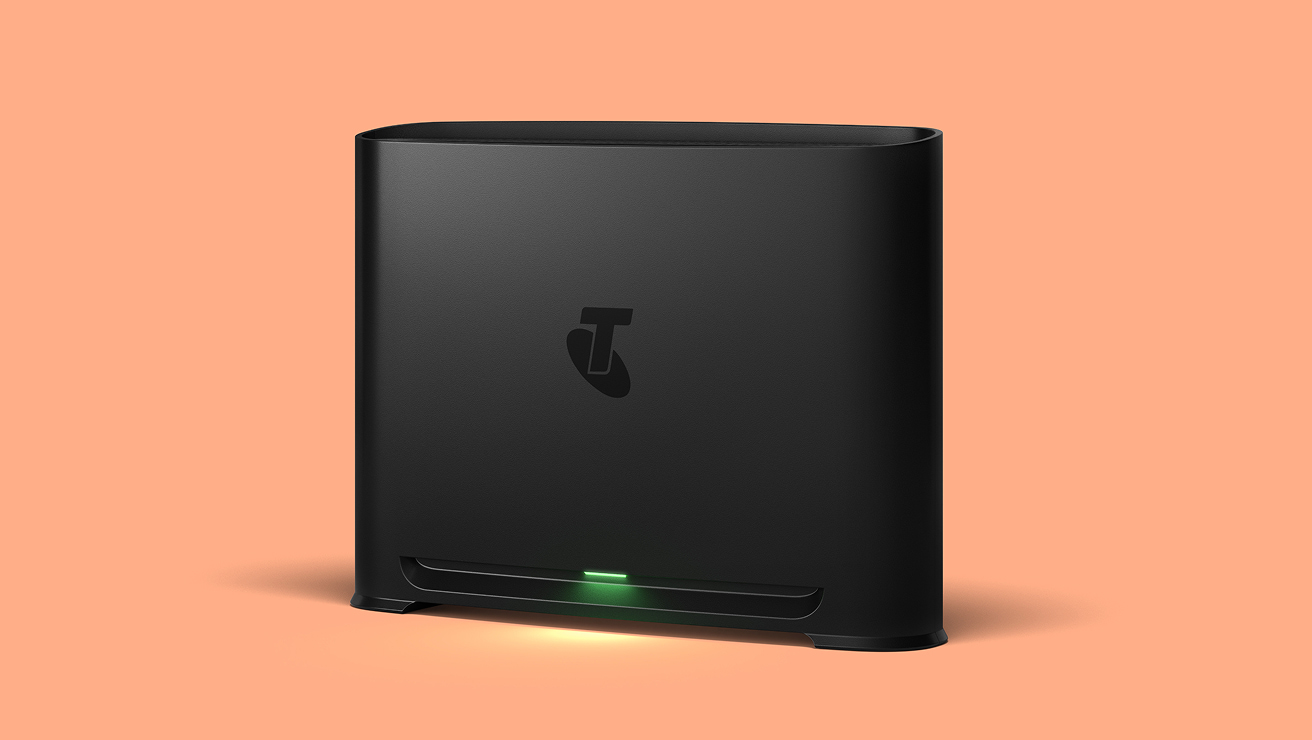
Your choice of modem/router, and how you set it up within your premises, could limit you from utilising the maximum speeds of your broadband plan.
If you're using your own modem, we won't know if it supports the full speed of your selected plan. Please check your modem's label, instruction manual or the modem manufacturer's website.
If you have a non-Telstra smart modem you may not be able to utilise the maximum speeds of the plan you have selected. You can check your modem's compatibility.
Your choice of modem/router, and how you set it up within your premises, could limit you from utilising the maximum speeds of your broadband plan.
If you're using your own modem, we won't know if it supports the full speed of your selected plan. Please check your modem's label, instruction manual or the modem manufacturer's website.
If you have a non-Telstra smart modem you may not be able to utilise the maximum speeds of the plan you have selected. You can check your modem's compatibility.
If you choose the lower speed Basic 5G plan now, you won’t be able to upgrade to a higher speed plan at this time. The ability to upgrade may become available at a later date.
Go to checkout
Something went wrong. Please try again.

Discover how to make the most of your connection at Smarter Business.
Want to know how fibre internet could help your business? Learn what FTTP, FTTN and FTTC mean and explore how they could help improve your business operations.
Learn how modems and routers work together to connect your business to the internet and help boost your business performance.
What is a static IP address and should you use one? Understanding the benefits and concerns can help you decide if you should make the switch.
We’re trusted by more Australian businesses to deliver a fast and reliable broadband connection.
We’ve built Australia’s first and largest 5G network and it’s rapidly growing. 5G is now rolling out in selected areas on selected plans.
Earn points when you pay your bill to put towards devices, accessories and more. Plus, enjoy exciting membership benefits.
No, but you can buy a landline handset from Telstra.
If you just want a home phone line, you can take up a Telstra office phone plan.
In the event of a fault on the nbn, on eligible plans the Telstra Smart Modem 4 will switch your service to our mobile network automatically. The mobile network backup is uncapped and unshaped only on eligible business nbn plans, meaning there is no limit on data allowance or speed. It’ll help you stay connected during the outage no matter how much data is used without having to worry about additional charges. We'll switch your service back to the nbn when the fault is resolved.
Backup available with eligible plans. Mobile coverage required.
Once you connect to the nbn network, you won’t be able to access your internet and voice services through your ADSL/Cable connection. Instead, you’ll access them through your new nbn network connection. And once connected to the nbn network, you won’t be able to move your services back.
It’s also worth noting that when you request for your business internet and voice services be moved to the nbn network, you’re giving consent to the installation of services on the nbn network on behalf of all account holders at your premises.
If you are on an eligible business nbn plan with Telstra Smart Modem included for use, we’ll send you a new modem if you need one — along with easy self-install instructions. If you have purchased a Telstra Smart Modem outright with a Business Internet Only plan, it will also come with simple steps to install it yourself.
You can get your modem and gear connected by a Telstra professional technician for a one-off fee of $299. Additional costs apply for non-standard installations if you have complex cabling requirements. If you have purchased an Internet Only plan without a Telstra Smart Modem, Telstra may not be able to assist with third-party modem installation.
If you’re in a new development without existing phone or internet infrastructure, nbn co may impose a $300 New Development Charge (NDC) to connect you to the nbn network. This includes new lots, subdivisions, and granny flats with a separate address from the primary residence. If applicable, we will bill that charge to you, and we will let you know at the time of confirming your order and you will have the option to cancel.
Additional costs may apply for non-standard or professional installation of Telstra or nbn co equipment and for premises in new developments. Once you are connected to nbn fibre, you won’t be able to move to our copper network.
Once you switch to the nbn®, your phone will run via the internet. This means you can only have one phone line and it must be connected to your modem. Please note Internet Only nbn plans do not come with a phone line included. If you require a phone line, you need to purchase an eligible business nbn plan with Telstra Smart Modem included for use.
You’ll need an installation appointment so that an nbn co technician can come to your address and connect you to the nbn network. Once the external connection gear is live, we’ll be able to deliver fast, reliable nbn to your business premises.
If you already have an active nbn connection, you probably won’t need a technician to visit. We’ll work this out once you place your order.
You can change plans within the same plan type once a month or cancel anytime. If you cancel, change to a plan without voice or to a different tech type, within 24 months, simply return your modem or pay a $200 non-return fee. If you would like to move between an Internet Only nbn plan and an eligible business nbn plan with Telstra Smart Modem included for use, call 13 20 00.
If you’re an eligible Priority Assist customer and are on an eligible plan, we'll install your modem for you at no cost. To check if you're eligible, go to Priority Assist.
To check if you're eligible, go to Priority Assist.
Note: Priority Assist is not available on Internet Only plans.
If you have a security alarm, ask your alarm provider if it’s compatible with the nbn® network. If it’s not, ask about alternatives. Do this before you switch to the nbn network, or your alarm may not work.
You can book your move online and we’ll help transfer your Telstra services to your new business address.
Yes, a static IP address can be added to nbn® internet plans. It is a consistent IP address assigned to you and allows you to control aspects of how you and the devices on your network communicate via the internet.
nbn will need up to 6 weeks to prepare your fibre (FTTP) upgrade for installation. nbn may need more time for highly complex upgrades or instances where additional cabling is required. During this time, we will set you up on a plan that’s compatible with your existing nbn tech. Once the fibre upgrade process is complete, we'll move you over to your selected high-speed plan. We won't disconnect your existing connection until your new Fibre to the Premises (FTTP) tech type is connected. You also won’t pay for the high speed-plan until we move you over.
Note: Once you’ve chosen to upgrade to FTTP, you can’t go back to your old connection.
Note: Make sure to plug your replacement mobile backup dongle into your Telstra Business Smart Modem, as your current mobile backup dongle has been disconnected. Mobile coverage required.
If you’re leasing, make sure that you have the landlord or property manager's permission before the visit. The technician may need to do work that will need approval - such as drilling into the property walls.
The work involves:
To avoid downtime, nbn® will leave your existing connection active while they install your new (FTTP) connection and ensure it’s up and running before they switch you over. During the upgrade, there may be a temporary interruption to your service. This could be anywhere from 15-30 minutes depending on the required activities and the current nbn technology at your premises. If you’re on an eligible plan, we’ll help keep your business online during this time using mobile backup. Simply plug your replacement mobile backup dongle into your modem to stay connected. Mobile coverage required. When you unplug your modem from the old connection and plug it into the new FTTP connection, it may take a few minutes to sync up. You may also need to move your modem.
If you opt to retain your old phone number, there will be a period where customers will not be able to contact you as we move your number from your old service, to your new one. Any potential downtime will be 2-4 hours, and 24 hours in worst case scenarios. We will work with you to schedule the downtime to avoid as much disruption to your business operations as possible.
nbn® has set eligibility criteria for the upgrade program, including select addresses only and which plan you need to be on to receive the free FTTP tech upgrade based on your current tech type. If your current tech type is Fibre to the Node (FTTN) or Fibre to the Curb (FTTC) you will need to choose the Premium plan or above to be eligible for a free tech upgrade.
The 5G Business Internet plan and Internet Only nbn plans do not support a landline or fixed phone line service. Business nbn plans with Telstra Smart Modem included for use come with a landline at no extra cost.
If you want a landline handset you can buy one from Telstra. If you want a home phone line, you can take up a Telstra office phone plan.
The quickest way to find out is to check your address now:
It’s business Internet that’s delivered over Telstra’s 5G mobile network. There are no technician visits or network cables needed. You just plug in the modem, it connects to nearby 5G mobile towers, and you’re online.
We’re still calculating typical busy period speeds (9am-5pm) (averages and ranges) on this plan. The speed information is an estimate only and is subject to change. Speeds experienced may be slower, can vary due to a number of factors and will change over time.
No - there’s no lock-in contract with Telstra 5G Business Internet so you can cancel any time. If you do decide to cancel your 5G Internet within 24 months, simply return your modem in good working order or pay a $200 non-return fee. We’ll provide a free return parcel.
Yes. It’s a good idea to keep your nbn service running while you give 5G internet a go. This way you can compare the two services and see if 5G is right for you. Then once you’ve made your choice, cancel the service you don’t want (there are no lock- in contracts so it’s easy).
Follow these top modem placement tips to help get the best possible speed and performance from your 5G internet signal:
If you’ve got the MyTelstra app, use our 5G modem placement guide to help locate the best position in your property for the 5G Modem.
Even if you do use more than 1000GB in a month, you won’t be charged any extra fees. However your speeds will be slowed until your next billing cycle. We’ll give you a heads-up when you’re at 50%, 85%, and 100% of your data usage.
*1.5 Mbps supports some ordinary internet activity (e.g. web browsing, emails, and data calls), although limited to a single user at any time and content may be slow to load. 1.5 Mbps isn't suitable for large file downloads, HD and 4K video or other high-data speed applications like video conferencing, and may not support ordinary use of internet-dependent medical devices.
No, because your Telstra Smart Modem only works at the business address where it’s first set up.
Modem included for use with 5G Business Internet services. If you cancel or change to a different tech type within 24 months, simply return your modem or pay a $200 non-return fee.
Yes - as long as the 5G network has enough free capacity at the time. What does this mean?
This information is to help you to make the right 5G choice for your needs, not to discourage you from choosing a lower speed plan.
No, 5G Business Internet doesn’t come with a phone line. It’s internet only.
If you do need a phone line and number, or have devices that rely on a landline like:
You should explore the business nbn plan range.
An nbn service can never go faster than the maximum line speed available at your premises, so for FTTN/B/C customers we will confirm your maximum attainable speed after connection and let you know if your line is not able to achieve the maximum speed of your plan.
The nbn® tier figures represent wholesale maximum network speeds during off-peak periods. The nbn® tier figures and ‘typical busy period speeds’ are not measures of customers’ actual in-premises speeds, which may be slower. Not all customers receive these speeds. In some cases, the nbn® tier figures and the typical busy period speeds are similar. Find out more about speeds on the nbn network with Telstra
Your plan and add-ons may change (including price and inclusions). If you don’t like a change, you can change your plan or cancel your plan or add-ons. If you cancel, just pay out your device, accessories and services in full, and you will receive a pro-rata refund for your plan charge for the remainder of your month.
Typical busy period speeds for the new nbn tiers Superfast and Ultrafast are an estimate only. We do not have sufficient data yet to calculate the typical busy period speed of these add-ons. Actual speeds experienced may be lower due to factors including your modem and cabling, in-premises set up/wiring. For ordinary personal domestic use. For important information on speeds see nbn key facts sheet (PDF, 81KB)
Services not available to all areas or premises.
Standard installation includes self-installation of your modem, eligibility criteria applies. Extra charges apply for non-standard installation of Telstra and NBN Co equipment and for premises in new developments.
If you’re in a new development without existing phone or internet infrastructure, nbn co may impose a $300 New Development Charge (NDC) to connect you to the nbn network. This includes new lots, subdivisions, and granny flats with a separate address from the primary residence. If applicable, we will bill that charge to you and we will let you know at the time of confirming your order and you will have the option to cancel. Extra charges may apply for non-standard or professional installation of Telstra or nbn co equipment and for premises in new developments. Once you are connected to nbn fibre, you won’t be able to move to our copper network.
Mobile backup is available to premises in mobile coverage areas. Check coverage at telstra.com/coverage. In the event of a fault on the nbn, our Smart Modem can switch your service to our mobile network automatically. We’ll switch your service back to the nbn when the fault is resolved.
The mobile network backup service is uncapped and unshaped when there’s a fault. This means there is no limit on data allowance or speed, and it's included in the plan, so you don't have to worry about additional charges. Mobile coverage required. Only available with eligible plans.
Modem included for use with new nbn with voice services. If you cancel, change to a plan without voice or to a different tech type, within 24 months, simply return your modem or pay a $200 non-return fee. Backup available with eligible plans. Mobile coverage required.
If you have alarms such as back-to-base security alarm or medi-alert connected to your home phone service, it’s important you contact your medical or security provider to check if they’re compatible with the service and identify what alternatives are available.
nbn®, nbn co and other nbn® logos and brands are registered trade marks of nbn co limited and used under licence.
Must be 18+ with an active Telstra-branded service. Points are earned on the cash component of eligible products purchased outright or on a repayment option, and service purchases (excludes cancelled, refunded, or returned products or services). Points expire 3 years from earning. Marketing opt-in required (preferences can be changed). Excludes Telstra Enterprise and Corporate accounts. See the Telstra Plus program terms and conditions.
Bonus points will be applied to your account within 14 days. Not compatible with other offers.
An nbn service can never go faster than the maximum line speed available at your premises, so for FTTN/B/C customers we will confirm your maximum attainable speed after connection and let you know if your line is not able to achieve the maximum speed of your plan.
The nbn® tier figures represent wholesale maximum network speeds during off-peak periods. The nbn® tier figures and ‘typical busy period speeds’ are not measures of customers’ actual in-premises speeds, which may be slower. Not all customers receive these speeds. In some cases, the nbn® tier figures and the typical busy period speeds are similar. Find out more about speeds on the nbn network with Telstra.
Your plan and add-ons may change (including price and inclusions). If you’re not happy, you can change your plan or cancel your plan or add-ons. If you cancel, change to a plan without voice or to a different tech type, within 24 months, simply return your modem or pay a $200 non-return fee.
Typical busy period speeds for Business Pro Fast, Pro Superfast and Pro Ultrafast are an estimate only. We do not have sufficient data yet to calculate the typical busy period speeds. We're still calculating typical busy period upload speeds 9am-5pm, weekdays on this plan - the information here is an estimate only. Speeds experienced may be lower due to factors incl. modem and cabling and in-home set up/wiring. For ordinary personal domestic use. For important information on speeds see nbn key facts sheet (PDF, 81KB).
Services not available to all areas or premises.
Standard installation includes self-installation of your modem, eligibility criteria applies. Extra charges apply for non-standard installation of Telstra and NBN Co equipment and for premises in new developments.
If you’re in a new development without existing phone or internet infrastructure, nbn co may impose a $300 New Development Charge (NDC) to connect you to the nbn network. This includes new lots, subdivisions, and granny flats with a separate address from the primary residence. If applicable, we will bill that charge to you and we will let you know at the time of confirming your order and you will have the option to cancel. Extra charges may apply for non-standard or professional installation of Telstra or nbn co equipment and for premises in new developments. Once you are connected to nbn fibre, you won’t be able to move to our copper network.
Mobile backup is available to premises in mobile coverage areas. Check coverage at telstra.com/coverage. In the event of a fault on the nbn, our Smart Modem can switch your service to our mobile network automatically. We’ll switch your service back to the nbn when the fault is resolved.
The mobile network backup service is uncapped and unshaped when there’s a fault. This means there is no limit on data allowance or speed, and it's included in the plan, so you don't have to worry about additional charges. Mobile coverage required. Backup available with eligible plans.
If you have alarms such as back-to-base security alarm or medi-alert connected to your home phone service, it’s important you contact your medical or security provider to check if they’re compatible with the service and identify what alternatives are available.
nbn®, nbn co and other nbn® logos and brands are registered trade marks of nbn co limited and used under licence.
Service availability: Service not available to all areas or all premises. Initial checks may show you are eligible for this service however actual availability will be confirmed after order.
Voice services: This plan does not include a fixed voice service and you will not be able to use it to make or receive calls or support a lift, security or medical alarm.
Speed: Speeds experienced may be slower over Wi-Fi and can also be impacted by other factors such as the distance and line of sight between the serving 5G mobile tower and the modem, the number of users online, where your modem is located and how far you are from it, weather, congestions and your in-premises set up.
Estimated average/typical busy period speeds/ranges are for new 5G Internet services only. Average/typical busy period speeds/ranges for existing 5G Internet services may be slower.
Data allowance: If you’re on a Premium 5G Business Internet plan and exceed your included data allowance, your download speed will be capped at 25 Mbps and your upload speed at 5 Mbps, and may be slowed further in busy periods until your next billing month. There is no option to top up your data or move to a higher data plan.
If you’re on a Basic or Essential 5G Business Internet plan and exceed your allowance, your upload and download speed will be slowed to 1.5 Mbps or below until your next billing cycle. 1.5 Mbps supports some ordinary internet activity (e.g. working from a web browser, emails, and data calls), although limited to a single user at any time and content may be slow to load. 1.5 Mbps isn't suitable for large file downloads, HD and 4K video or other high-data speed applications like video conferencing, and may not support ordinary use of internet-dependent medical devices.
Cancellation: If you cancel or change tech type within 24 months, your modem must be returned via our eParcel service (we will provide details in an email to you once you cancel) in good working order within 21 days of cancellation or you will be charged a $200 non-return fee.
Got a question about Telstra internet, or need support with your order? We’re here to help.
If you need to talk, we’re here. Get in touch and ask us anything at all.
Get information about internet from our frequently asked questions.
View services, pay bills, troubleshoot tech issues, contact us via messaging, and much more.