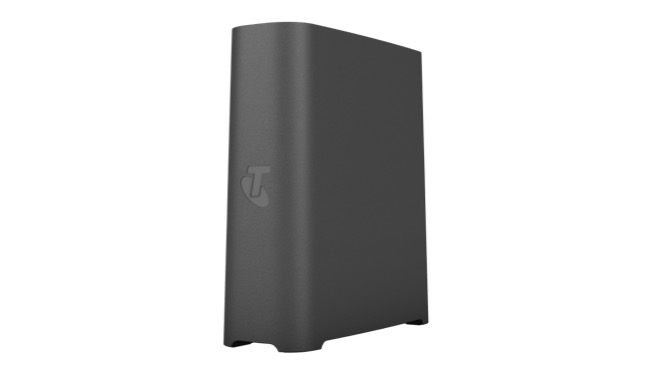
Move your modem to a central point
This maximises the modem's ability to send a strong signal through your home.
Wi-Fi not doing what it should in some rooms? These tips can help minimise buffering and black spots, reduce lag and get smoother streaming on multiple devices.
Sometimes all it takes is a few smart moves to improve your Wi-Fi signal
This maximises the modem's ability to send a strong signal through your home.
Desk or shelf height is ideal. Too close to the ceiling can be as bad as too low to the floor.
Solid internal walls can block your Wi-Fi signal.
In larger and non-standard homes, our Smart Wi-Fi Booster Gen 3 can fill black spots and get the signal to every room.
The quick tips can help boost Wi-Fi and stop your shows being buffered!
You may find areas where the Wi-Fi is not as strong as it can be.
Other electrical devices can slow down your Wi-Fi. Switch suspect devices off and check your signal.
A simple reboot can noticeably increase your Wi-Fi speed. (Leave it off for 10 seconds.)
Get help and manage your internet service on the My Telstra app.
Devices like microwaves, baby monitors, cordless phones and TVs can affect your Wi-Fi.
Is your Wi-Fi affected each time the microwave or cordless phone is used?
Unplug each device that might be interfering, one by one, to see if your Wi-Fi improves.
Move any devices that are causing interference away from your modem.
If you’re using an older modem, consider upgrading to the Telstra Smart Modem 4.
Tips to run laptops, mobiles, tablets, TVs, and gaming consoles more smoothly.
Prioritise your online traffic so specific activities and devices get more bandwidth with Internet Optimiser.
For Telstra internet customers on an eligible plan with a compatible smart modem. Excluding 5G and Satellite internet, ADSL, Fixed Wireless and Ultrafast plans.
The latest smart modems are designed to run multiple devices at once. If you’re using an older modem, consider upgrading to Telstra Smart Modem 4 with the latest Wi-FI 7 built in.
With more power and better Wi-Fi coverage throughout your home.
Compared to our previous modem. Included for use for new internet with voice services.
Wi-Fi 6 Certified and our fastest booster yet. Extends your home Wi-Fi coverage and improves Wi-Fi speeds in dead zones.
Provides back-up power for up to four hours in the event of a mains electricity outage.
Whether it's working from home, streaming or gaming, Internet Optimiser lets you choose what comes first.
For Telstra nbn customers on an eligible plan with a compatible Telstra Smart Modem. Excluding Internet Only, 5G and Satellite internet, ADSL, Fixed Wireless and Ultrafast plans.


Here are some quick fixes for a better Wi-Fi signal:
You'll find lots more Wi-Fi optimisation tips and tricks on the page above.
Here are some quick tips that may help improve your Wi-Fi speed:
You'll find more Wi-Fi optimisation tips and tricks on the page above.
For Telstra internet customers on an eligible plan with a compatible smart modem. Excluding 5G and Satellite internet, ADSL, Fixed Wireless and Ultrafast plans.
Multiple devices can slow down your internet connection to some degree, especially in busy homes with multiple streaming, gaming or smart devices running at once. That’s where a newer modem could make all the difference. Telstra Smart Modem 4 is designed to support up to 256 connected devices, with intelligent Wi-Fi which sends the best frequency to each device. If you’re using an older modem, consider upgrading to Telstra Smart Modem 4 with the latest Wi-FI 7 built in.
Wi-Fi boosters connect wirelessly with your modem to expand Wi-Fi range and strengthen your Wi-Fi signal. They're especially good for larger and non-standard homes.
With Wi-Fi mesh boosters, there’s no manual switching from modem to booster. Devices move seamlessly to the best possible signal as you move around.
Wi-Fi 6 is the latest Wi-Fi mesh standard. It both improves coverage and improves Wi-Fi speeds on devices meshed with it.
Telstra Smart Wi-Fi Booster Gen 3 is the first booster to include Wi-Fi 6. Smart Wi-Fi boosters work by meshing, or pairing with your modem to create a single, extended network.
This means that your devices only see one network, and can move seamlessly around the house without interrupting the connection.
Get in touch and we’ll help you as soon as we can.
View your services, pay your bill, troubleshoot tech issues, contact us via messaging and much more.
More information about Wi-Fi and gaming extras can be found in our Support section.
Questions about Wi-Fi and gaming extras? Get in touch and we'll help you as soon as we can.
We're here to answer your questions.