Checklist for your in-home setup
1. What are your current internet speeds?
It's a good idea to understand your current internet performance with a speed test.
Factors that can affect a speed test
- Time of day: Your connection speed can vary at peak hours when lots of people are online, typically between 7pm and 11pm. Do a speed test inside and outside peak hours to see if congestion is the issue.
- Wired and wireless connections: Speed test both to identify if Wi-Fi is the bottleneck.
- Distance from your modem: Run a speed test near and far from your modem to check for signal strength issues.
Test your speed
2. How old is your modem?
Modems don’t last forever. If it's over 3 years old, it might not support the latest Wi-Fi standards or speeds. Check whether it's providing you with the best performance using our internet troubleshooting tips. Alternatively, ask us whether upgrading to a newer model might help unlock better performance, even if you’ve recently upgraded your internet plan.
Your choice of modem or router and your home set up could prevent you from getting maximum speeds out of your home internet plan. For older modems, you'll need a Cat5e or higher ethernet cable connecting your nbn box to your modem to achieve the speeds of a high speed plan (where the download speeds are over 100Mbps).
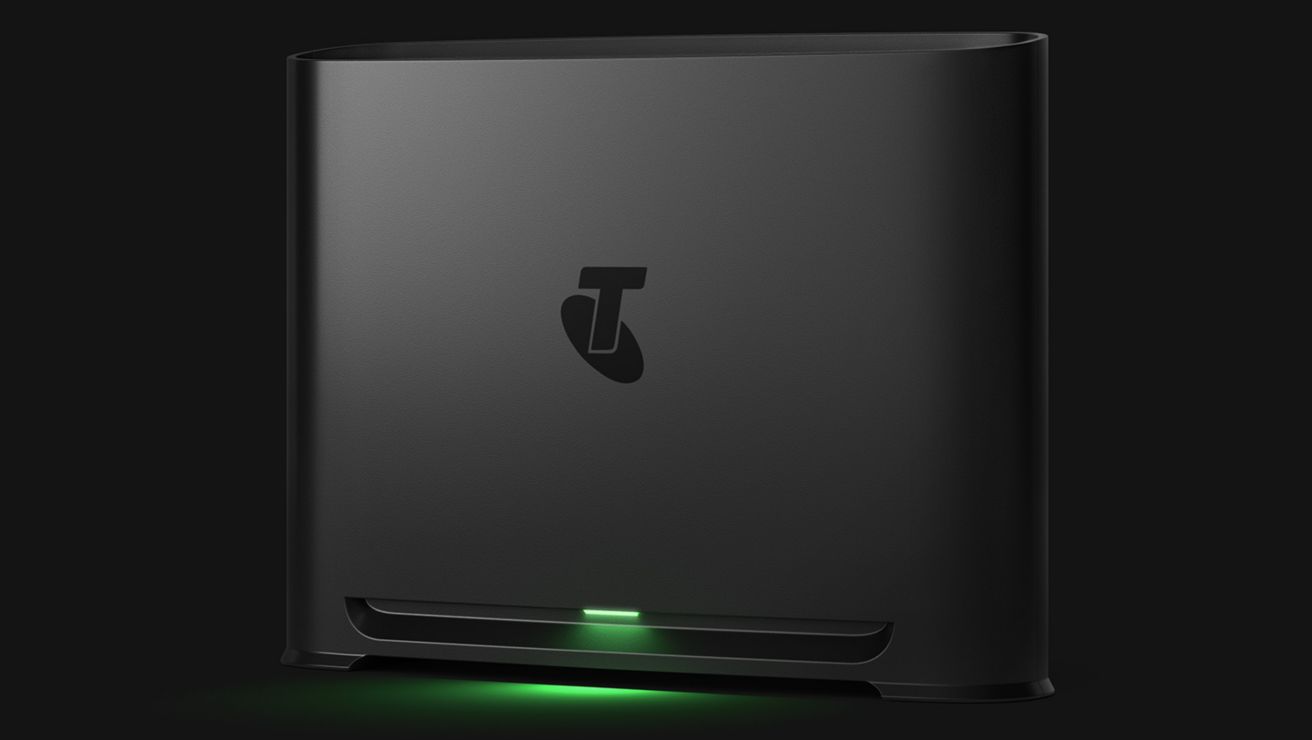
Discover Telstra Smart Modem 4
3. How long have you been on your internet plan?
Plans change. If you’ve been on the same one for years, you might be missing out on faster speeds or better value. This is especially important if your household internet usage has changed.
What could impact your internet experience?
- More people in your household: Lots of people using the same internet can affect speeds.
- Connecting more devices with the same internet: The more devices you connect, the more bandwidth you may need.
- Streaming in higher quality: Streaming services use much more data when set to HD or 4K. If you’ve upgraded your viewing but not your internet, this could affect your experience.
- Working or studying from home: Video calling and large file transfers place additional demand on your connection which can impact internet performance.
The tools you need for great home internet
nbn® Key Facts (PDF, 82KB)
See Home Internet plans
4. Does your Wi-Fi need a boost?
If you still have weak Wi-Fi spots in your house, a Wi-Fi booster could be your go-to. It can extend your modem’s Wi-Fi signal to reach rooms on the edge of your coverage. A Telstra Smart Wi-Fi Booster helps with:
The booster helps turn dead zones into streaming zones by meshing with your compatible Telstra modem to create a single, extended Wi-Fi network. This also helps gives you a seamless connection on devices as you move about the house.
For best results, place a booster halfway between your modem and the low signal area.
Explore Telstra Smart Wi-Fi Boosters
5. Is your modem in the right spot?
Placement matters. A good setup can significantly improve your Wi-Fi coverage and speed.
Tips for good modem placement
- Place it in a central, elevated location that's closest to your most essential connected devices.
- Keep it away from thick walls and metal objects as they can stifle signals.
- Electronic appliances like microwaves, TVs and fridges can interfere with Wi-Fi signals.
- Avoid hiding it in cupboards or behind furniture. Aim for line-of-sight between your modem and your connected devices.
See more Wi-Fi tips
6. Are your devices compatible?
Older devices may not support newer Wi-Fi standards like Wi-Fi 6, which can limit your speeds, regardless of your internet plan. Check if your devices are up to date, especially if you’re noticing slow speeds on just one or two of them.
If you've chosen your own modem, we probably won't know its specifications or capabilities. It also means we can't confirm if it will be able to support the full speed of your selected plan.
Check whether your modem is compatible with your chosen plan by:
- Reviewing its technical specifications.
- Consulting the manufacturer’s website or user manual.
- Contacting us for guidance on the minimum requirements for modem compatibility.
Using a modem that does not meet the right specifications may result in reduced speeds or connectivity issues. For older modems, you will need a Cat5e or higher ethernet cable connecting your nbn box to your modem to achieve the speeds of a high speed plan (where the download speeds are over 100Mbps).
7. Are you on the right signal band?
Modern modems often broadcast two Wi-Fi bands: 2.4GHz and 5GHz. The 2.4GHz band has a longer range but slower speeds, while 5GHz is faster but works best at shorter distances. To get the fastest speeds possible, perform a speed test on your device across both bands and see which one is better.
Our Telstra Smart Modem 4 automatically optimises which band your device connects to so you always get the strongest signal.
8. Have you checked your cables?
Loose, damaged or outdated cables can cause dropouts or slow speeds. Make sure your modem is connected with the right cables (like an Ethernet cable for nbn connections) and that it's all plugged in securely.
You'll need a Cat5e or higher ethernet cable connecting your nbn box to your modem to achieve the speeds of a high speed plan (with download speeds over 100Mbps). You can check this by looking at the small text written on the cable itself.
Faster internet speeds are here
Streaming, gaming or scrolling uses lots of data. And lots of data needs fast download speeds. Most plans handle everyday use easily, but for HD streaming or with multiple users in your house, all online at the same time, speed may be more important.
Are you on a Premium, Ultimate or Ultrafast nbn plan with FTTP (fibre to the premise) or HFC (hybrid fibre coaxial)? Your plan's now been automatically upgraded to faster wholesale speeds. And not just a bit faster - our Premium plan has been accelerated to deliver five times faster wholesale download speeds.
On another type of home internet plan or technology type (like fibre to the curb or node)? If you're an eligible customer, you may be able to upgrade both your plan and technology to experience beautiful home internet.
Speeds experienced may be lower due to factors including in-home setup and wiring.
How to upgrade your plan and technology