Checking availability

Bring home Satellite Internet
Telstra Smart Modem 4
With more power and better Wi-Fi coverage throughout your home.
Compared to our previous modem. Included for use for new internet with voice services.
Unlimited data
Watch your favourite shows with no data dramas.
Fair Use Policy applies
Earth-based support
Get help from a range of customer support centres including calling our local team.
Free delivery across Australia
We deliver to you free and within 5 business days regional.
Check your address
Find out if Satellite Internet is available to you.
We found multiple addresses. Please select yours from the list below.
Great!
Available
You can get Telstra Satellite Internet.
Multi PRI Header
Multi PRI Body
Address check not available
Sky-high internet. Down to earth price.
Satellite Home Internet
Powered by Starlink
$125 Monthly
Plus the cost of the Standard Starlink Kit.
Plan price may change.
Plan price may change.
Plan speeds
Estimated typical speeds 7pm-11 pm-
50Mbps download
-
10Mbps upload
Important: We’re still calculating typical speeds on this plan - the information here is an estimate only based on limited preliminary testing. Actual speeds are yet to be confirmed. Download speeds are capped at most times, during which they will not exceed 50Mbps .
Your Starlink needs a clear sky view for optimal performance. Typical speeds may vary due to antenna location, satellite congestion, and network prioritisation. Severe weather can briefly disrupt service.
Your Starlink needs a clear sky view for optimal performance. Typical speeds may vary due to antenna location, satellite congestion, and network prioritisation. Severe weather can briefly disrupt service.


Add Starlink Kit
-

Starlink Standard
Outright$549
Includes
- Starlink Kit dish
- All cables and power supply
- Starlink kickstand for ground mounting
Roof mount and optional accessories not included.
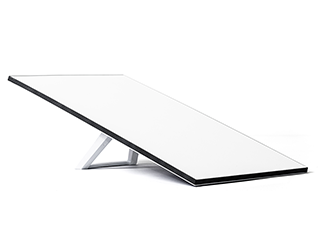
With Telstra Satellite Internet the sky's the limit

Stream like a dream
Say goodbye to data caps and hello to endless low-latency streaming and online gaming.
Fair Use Policy applies.

Make video calls
Video calling is great for remote work, and chatting to friends and family.

Low orbit = low latency
Starlink satellites are low-orbit, so you get less lag than with geostationary satellites.

Phone home. Via Wi-Fi
Our Smart Modem includes a home phone line over Wi-Fi to help keep you in touch when there's no mobile network.
Add Starlink accessories

Want your Starlink closer to the stars?
Starlink roof and wall mount accessories are great to help give your Starlink antenna a clear view of the sky.
Got Telstra Plus points? Use them to pay for your Telstra Starlink accessories!
Why choose us for satellite internet?
Wi-Fi modem included
Telstra Smart Modem 4 with the latest Wi-Fi 7 technology is included for use for new internet with voice services.
If you leave within 24 months, return modem or pay a $200 non-return fee.
Aussie-based support team
Get help when you need it from our earth-based customer support team.
Get Telstra Plus Rewards
Earn points for great rewards and must-have devices, get discounted tickets and more.
Join Telstra Plus for free Eligibility criteria apply.
Questions about Telstra Satellite Internet?
Telstra Satellite Internet is designed as a low-latency rural broadband solution, however it can also be used in some urban locations. To find out if Satellite Internet is available where you live, enter your address in our address checker.
No, Telstra Satellite Internet is restricted to use at the home address it is connected to. Satellite Internet can’t be moved around or used on moving vehicles or vessels like cars, vans, RVs, boats or aircraft.
If you’ve already got a Starlink Kit, you may be able to use it with a Telstra Satellite internet plan. NOTE: The Generation 1 Circular Starlink Kit is not compatible. If you own this kit, you’ll need to select a new Starlink Satellite Kit.
For Starlink Standard Actuated Kit Users: If you plan to use your Starlink Standard Actuated Kit with Telstra Satellite Internet, you must purchase a Starlink Ethernet Adaptor. This adaptor connects the Telstra Smart Modem 3 to the Starlink Router, enabling both voice and internet services. Buy the Starlink Ethernet Adaptor.
How do I transfer my Starlink Kit to Telstra?
To transfer your Starlink Kit to Telstra:
- Cancel your existing Starlink service through the Starlink customer portal on the Starlink website. Find the “Cancel Service” option under the “Manage” section on the homepage.
- Unlock your Starlink Kit from your account by selecting “Transfer” after cancellation. This option is also under “Manage.” Note that your service will stop immediately upon transfer, regardless of the remaining time in your billing cycle.
- Provide Telstra with your Starlink Terminal ID or Kit Serial Number during the ordering process.
Need to Know:
- For more details visit Starlink Support and search 'transfer to a reseller'
- Please be aware that transferring is not available on the Starlink website until 120 days after you purchase your Starlink Kit or 90 days after you activated your kit, whichever milestone you hit first. Reach out to Starlink Customer Support for further assistance.
Telstra Satellite Internet powered by Starlink is designed to work well in most weather conditions, including rain, snow and wind. Extreme weather, especially heavy rain, can cause brief Satellite Internet service dropouts.
Yes! Your Telstra Satellite Internet plan includes a home phone service, with unlimited calls to standard Australian mobiles and landlines.
Yes, you can stream your favourite apps, game online, make video calls and more. Satellite internet lets you access the same services as other types of home internet products that have similar bandwidth and speeds.
You can purchase Telstra Satellite Internet online, over the phone or by visiting us in store. We will deliver the Telstra Smart Modem 4 and Starlink Kit to your home. You won’t be able to collect the Starlink Kit in store.
Yes – we include detailed guides to help you install the Starlink Kit and set up Telstra Satellite Internet yourself.
When should you use a licensed professional?
- If you want to permanently fix the Starlink Kit with one of our optional accessories, we recommend you use a licensed professional in your area.
- If you want to conceal or permanently install any Satellite Internet cabling, you will need to use a licensed professional.
Once you’re happy with your Telstra Satellite Internet service, you will need to cancel your old internet service to avoid paying for two services at the same time. To cancel your old service, contact us.
Start with modem placement. Try keeping your modem:
- Up high in an open, central spot for the best Wi-Fi signal strength
- Close to an external window
- Away from steel mesh security screens, fridges, microwaves and TVs that could block the Wi-Fi signal.
If you still have weak Wi-Fi zones, a Wi-Fi Booster can help. Wi-Fi Boosters help fill the gaps and enhance Wi-Fi coverage across your house.
- Place a Wi-Fi booster midway between your modem and the room or area that needs a stronger signal.
- Telstra Smart Wi-Fi Booster meshes with your Telstra Smart Modem to create a single, extended Wi-Fi network to help you get a seamless connection on your devices as you move about the house.
Learn more about Telstra Smart Wi-Fi Boosters
Explore more tips to Improve Wi-Fi range and speeds.
Things you need to know
Service Availability: Services not available to all areas or premises. Initial checks may show you are eligible for this service however actual availability will be confirmed after order.
Speed: We’re still calculating typical speeds on this plan - the information here is an estimate only based on limited preliminary testing. Actual speeds are yet to be confirmed. Download speeds are capped at most times, during which they will not exceed 50Mbps. Typical speeds may vary due to factors including Starlink Kit location, weather conditions, satellite congestion, sky visibility and the precedence Starlink gives your data on its network.
Telstra Smart Modem 4: Mobile backup is available with eligible plans only and to premises in mobile coverage areas. Check coverage at telstra.com/coverage. Your mobile backup connection is capped at 25Mbps for downloads and 5Mbps for uploads, except on Telstra Upfront Business Internet plans. Actual speeds may be lower due to local conditions and content accessed.
Medical security alarms, lift phones and fire indicator panels: If you have alarms such as back-to-base security alarm or medi-alert connected to your home phone service, it’s important you contact your medical or security provider to check if they’re compatible with the service and identify what alternatives are available.
Cancellation: If you cancel your plan in the first 24 months your modem must be returned via our eParcel service (we will provide details in an email to you once you cancel) in good working order or you may be charged a $200 non-return fee.
Need more help?
My Telstra app
View your services, pay your bill, troubleshoot tech issues, contact us via messaging and much more.
Support
You'll find more information about Telstra Satellite Internet in our Support section.
Send us a message
Questions about Telstra Satellite Internet? Get in touch and we'll help you as soon as we can.
Contact us
We're here to answer your questions.
