What you get with a 5G Home or Business Internet plan
Every 5G plan should be enough for most everyday activities like connecting on social media and web browsing, though businesses or households with heavier usage like constant video streaming or transferring large files may need more. While all three plans include 1000GB of data per month, the speeds and what happens once you exceed that data allowance vary between plans - so it's worth thinking about how many people are on your connection and how much speed your team or household relies on day to day.
All 5G Home and Business plans include:
- 1000GB of data per month
- Easy self-setup with no tech visit needed
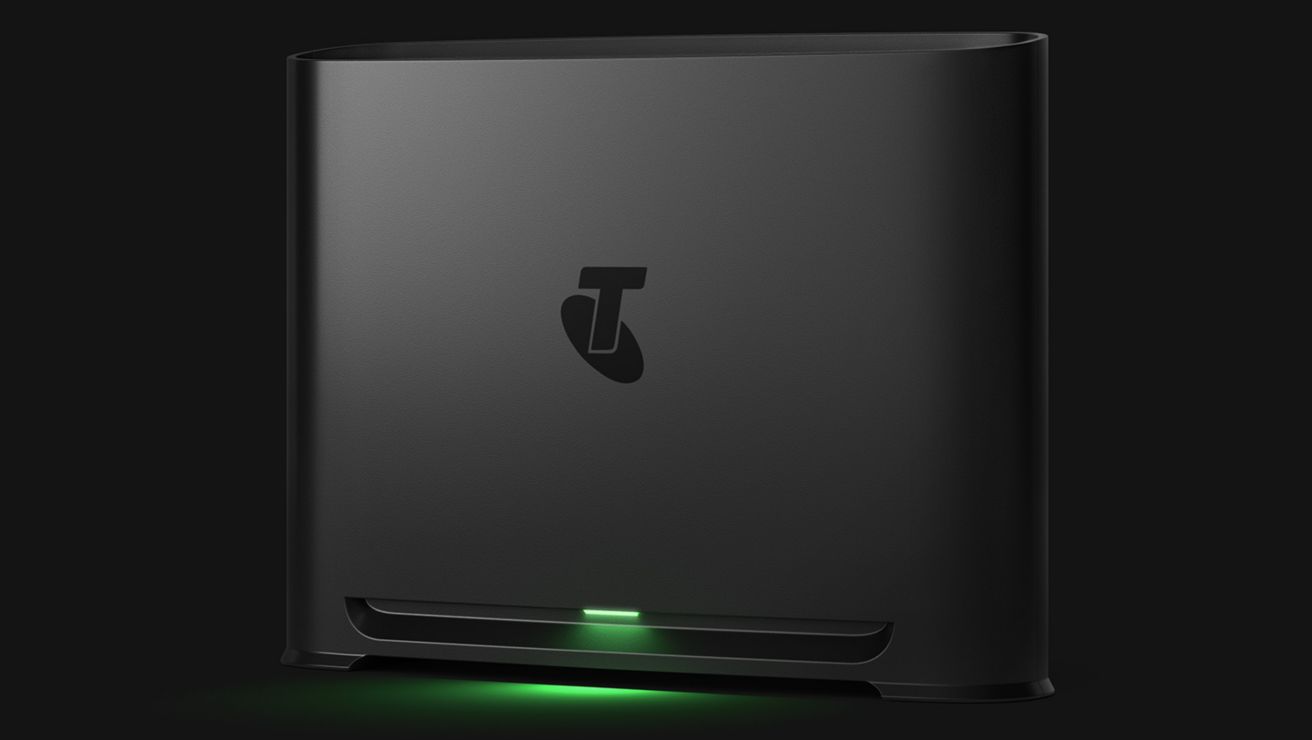
- The latest Telstra Smart Modem included for use with Wi-Fi 7 and WPA3 security. If you cancel or change to a different tech type, within 24 months, simply return your modem or pay a $200 non-return fee.
- The My Telstra app, including a modem location tool to help you find the best spot for the signal
5G Home and Business Internet plans do not include a phone line and do not support devices that rely on this like lifts, medical alerts or security alarms.
How fast is 5G Internet?
We monitor and update our speeds regularly. For the latest info, visit 5G Internet plans.
Your internet speed is affected by things like the distance between your modem and the nearest 5G mobile tower, how many users are online, weather and your setup. To help optimise your setup, try placing your modem up high on a shelf, table or other surface off the floor and keep it away from large appliances or enclosed spaces.
Follow our guide for more easy tips, use the modem placement guide in the My Telstra app to help find the strongest signal in your building or read our online guide.
5G Home Internet plans
Which one is right for you?
We offer three 5G Home Internet plans to suit different household sizes and budgets. All three plans share the same great inclusions, so the main difference is speed and how many people are using the connection at once. For estimated speeds and pricing, see the 5G Home Internet plans page.
If your household has multiple active devices or regularly downloads large files, the Premium plan or nbn® may be a better fit.
The Premium 5G Home Internet plan has 300Mbps average download speeds and 30Mbps average upload speeds (typical download speed range 80-570 Mbps and 5 Mbps upload) 7-11pm.1 Refer to 1.
Basic 5G Home Internet
- Great for 1 to 3 people, with light to moderate data use.
- Best for streaming your favourite shows in HD (high definition), connecting on social media, email and web browsing.
- 25Mbps average download speeds and 5Mbps average upload speeds (typical speed range 24-25Mbps download and 4-5Mbps upload) 7-11pm.1 Refer to 1.
Essential 5G Home Internet
- Great for 1 to 3 people with heavy data use or 3-5 people with light to moderate data use.
- Best for video calls, streaming your favourite shows in HD (high definition), connecting on social media, email and web browsing.
- 50Mbps average download speeds and 20Mbps average upload speeds (typical speed range 30-50Mbps download and 4-20Mbps upload) 7-11pm.1 Refer to 1.
Premium 5G Home Internet
- Great for 3 to 5 people with moderate to heavy data use.
- Best for streaming movies in HD (high definition), regular HD video calls, working, studying and web browsing at the same time.
- 300Mbps average download speeds and 30Mbps average upload speeds (typical speed range 80-600Mbps download and 5-70Mbps upload) 7-11pm.1 Refer to 1.
Explore 5G Home Internet plans
Help me choose the right home internet
1. We’re still calculating typical busy period speeds (7-11pm) (averages and ranges) on this plan. The speed information is an estimate only and is subject to change. Speeds experienced may be slower, can vary due to a number of factors and will change over time.
5G Business Internet plans
Which one is right for your team?
Choose from three Business Internet Plans - each built for small teams who need a connection for video conferencing, file sharing and keeping devices connected. 5G Business Internet might be right if it's available at your location because it offers a simple, network cable-free business internet solution if you don’t mind variable speeds. For estimated speeds, pricing and availability at your address, visit 5G Business Internet plans.
If your business has multiple active devices or regularly downloads large files, the Premium plan or nbn® may be a better fit.
The Premium 5G Business Internet plan has 300Mbps average download speeds and 30Mbps average upload speeds (typical download speed range 80-600 Mbps and 30 Mbps upload) 9am-5pm.2 Refer to 2
Basic 5G Business Internet
- Great for teams of 1 to 2.
- Best for SD video conferencing with your team, sending and receiving emails, chats and file sharing.
- 25Mbps average download speeds and 5Mbps average upload speeds (typical download speed range 24-25 Mbps and 5 Mbps upload) 9am-5pm.2 Refer to 2.
Essential 5G Business Internet
- Great for teams of 2 to 3.
- Best for HD video conferencing, sending and receiving emails, chats and sharing large files and connecting smart devices.
- 50Mbps average download speeds and 20Mbps average upload speeds (typical download speed range 30-50 Mbps and 20 Mbps upload) 9am-5pm.2 Refer to 2.
Premium 5G Business Internet
- Great for teams of 3 to 5, working simultaneously.
- Best for HD video conferencing, supporting more devices, working from a browser, sending and receiving emails, chats and sending large files.
- 300Mbps average download speeds and 30Mbps average upload speeds (typical download speed range 80-600 Mbps and 30 Mbps upload) 9am-5pm.2 Refer to 2.
Explore 5G Business Internet plans
2. We’re still calculating typical busy period speeds (9am-5pm) (averages and ranges) on this plan. The speed information is an estimate only and is subject to change. Speeds experienced may be slower, can vary due to a number of factors and will change over time.