What is Uninterruptible Power Supply (UPS)?
Take me to
An Uninterruptible Power Supply (UPS) is a battery back-up for a compatible Telstra Smart Modem. It can provide power for a Telstra Smart Modem for up to four hours in the event of a mains electricity outage.
This means your Smart Modem will remain online for up to four hours in the event of an electricity outage at your address allowing you to use your home phone line (if it's connected via the nbn® network).
I have Priority Assistance, can I get a battery back-up phone?
As a Priority Assistance customer you can order a complimentary Priority Assist Phone by calling 13 22 00 and saying 'Priority Assistance', or visiting a Telstra store.
The Priority Assist Phone comes with a battery that when fully charged, will remain operational for up to 8 hours in the event of a power outage.
Frequently asked questions
Handsets that plug directly into the mains power, as well those that use a Telstra Voice Extender or any other form of DECT extender that requires mains power will not work with the UPS. Check with the handset manufacturer if you’re unsure.
| Compatible handsets | Telstra Smart Modem Gen 1 & Gen 2 | Telstra Smart Modem Gen 3 & Gen 4 |
|---|---|---|
T-Voice 502 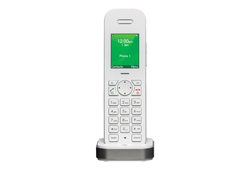 |
Yes | No |
T-Voice 503 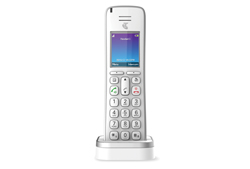 |
Yes | No |
T1000S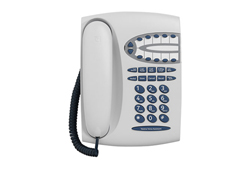 |
Yes | Yes |
Telstra Voice Extender 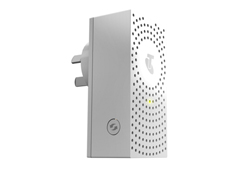 |
Yes | No |
Easy Control Cordless 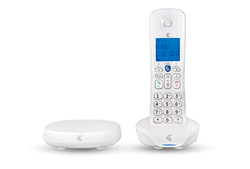 |
Yes | Yes |
The UPS charges while plugged in to a power point. It supplies power directly to the modem if the mains electricity switches off for any reason.
The UPS for Telstra Smart Modem should always be on and it has an Auto Switch-Over feature. This means if the mains electricity fails, the UPS for Telstra Smart Modem will automatically kick in.
The UPS for Telstra Smart Modem should be replaced after 2 years.
The UPS for Telstra Smart Modem replaces the existing power adapter (cord) on your Telstra Smart Modem.
- Unplug the power adapter cord from the power point on the wall
- Unplug the power adapter cord from the back of the modem and store it in a convenient place
- Replace the power adapter cord with the UPS to the back of the modem
- Plug the UPS in to the power point on the wall and switch it on.
Once the UPS is connected between the Telstra Smart Modem and mains power, allow at least three hours for it to charge.
To test it, switch off power at the power point. If the UPS is working, the lights on your Telstra Smart Modem will stay on.
To test a connected home phone that normally requires mains power, switch the phone off at the power point and try to make a call.
Rather get in touch? Let's get you connected
Sign in to the My Telstra app
View your services, pay your bill, troubleshoot tech issues, contact us via messaging and much more.
Chat with us
If you don't use My Telstra, you can still chat with us online.
Multilingual support
If you'd like to speak with us in your preferred language, we've got you covered.