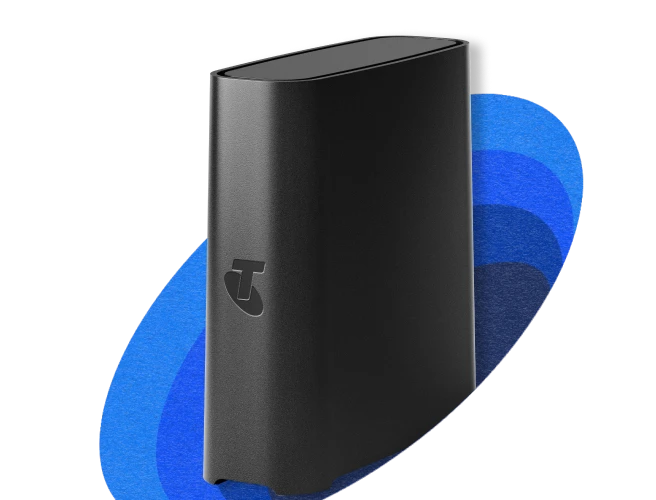
Telstra Smart Wi-Fi Booster
Meshes with your compatible Telstra Modem to boost your home Wi-Fi.

Deal with Wi-Fi dead zones
Extend your Wi-Fi to hard-to-reach areas so you can stream, game and video call smoothly.

Enjoy seamless streaming
Move around your home without losing signal - Wi‑Fi 6 mesh keeps you connected.

Enhanced Wi-Fi performance
Enjoy smooth streaming and less lag on multiple devices: great for super-connected homes.
Add a Smart Wi-Fi Booster
Extend and enhance your Wi-Fi coverage today.
-
Telstra Smart
Wi-Fi Booster 3$7/mth for 24 months
Or $168 outrightMin cost $168 + plan charges. For Telstra customers with a compatible modem.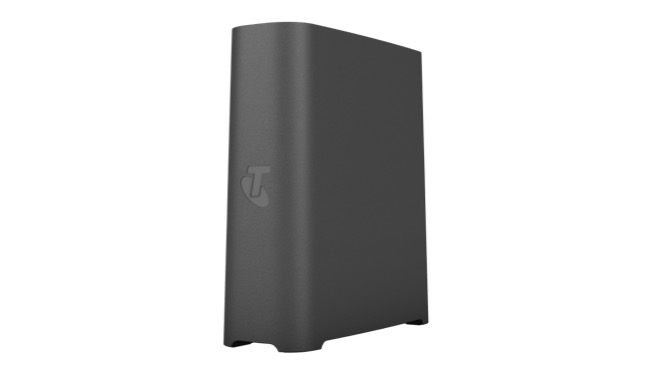
Extends Wi-Fi and boosts speeds in dead zones
-
Stronger Wi-Fi signal: extends your Wi-Fi coverage into low-Wi-Fi zones.
-
Enhanced Wi-Fi speeds: Helps turn Wi-Fi dead zones into smooth streaming and gaming zones.
-
Seamless connections: Move through your home without losing Wi-Fi signal strength.
-
Enhanced entertainment: Reduced lag for smoother video streaming and gaming.
-
Meshes with Telstra modems: Check your modem’s compatibility.
-
How many Wi-Fi Boosters do you need?
You can add up to three boosters to your Telstra Smart Modem. Here's a quick guide.
| You have | You want to | You could add |
|---|---|---|
A small-medium home or apartment |
Boost Wi-Fi coverage in a bedroom, study or back patio | 1 Booster |
| A bigger or non-standard shaped house | Boost Wi-Fi coverage upstairs, around a corner and outside to a garage | 2 Boosters |
| A large or multi-storey home | Boost Wi-Fi coverage across multiple floors | 3 Boosters |
How Wi-Fi Boosters work
Extends and improves your Wi-Fi signal
Telstra Smart Wi-Fi Boosters do more than just reach tricky corners; they strengthen your home Wi-Fi performance.
- Boosters reach low-signal rooms, garages and upper floors
- Which helps reduce lag and enhances Wi-Fi speeds in your home.
Meshes seamlessly with your modem
Your Telstra Smart Modem and the Smart Wi-Fi Booster mesh together into one unified Wi-Fi network.
- Devices easily switch between your modem and booster as you move around the house.
- Compatible with all Telstra Smart Modems.
Simple plug and play setup
Setting up Telstra Smart Wi-Fi Booster is quick and easy - no technicians needed.
- Pair your Smart Wi-Fi Booster with your Smart Modem via ethernet cable.
- Disconnect the cable and place the booster halfway between the modem and the low Wi-Fi area.
Frequently asked questions
Because every home is different, and a home’s layout and construction can affect how far your modem’s Wi-Fi signal can travel. You may need a Wi-Fi Booster if your home has:
- A larger floorplan
- Multiple storeys
- Thick walls or dense building materials
- Many connected devices competing for bandwidth
The Smart Modem creates your core Wi-Fi network, but a Booster helps extend Wi-Fi coverage and fill any low-signal areas. Together, they can create a unified home Wi-Fi network.
For best results, place the Telstra Smart Wi-Fi Booster:
- Halfway between your Telstra Smart Modem and the low-Wi-Fi area
- In a central, open spot
- Away from thick walls and metal objects
- Away from fridges, microwaves and TVs that could block the Wi-Fi signal.
You can set up the Telstra Smart Wi-Fi Booster yourself in minutes - no technicians needed. Just follow our easy booster set-up guide (pdf, 478KB).
Yes, Telstra Smart Wi-Fi Boosters and Telstra Smart Modems are designed to work together. Here's the list of compatible modems:
- Telstra Smart Modem 1.1 (DJA2030)
- Telstra Smart Modem Gen 2 (LH1000, DJA2031)
- Telstra Smart Modem Gen 3 (Cobra XH)
- Telstra Smart Wi-Fi Booster Gen 3 is also compatible with Telstra Smart Wi-Fi Booster Gen 2
- Telstra 5G Gen 2 Modem (Meteor2)
- Telstra Smart Modem Gen 3 (CobraXH)
- Telstra Smart Modem Gen 4 (NBN/Opticomm/Satelite) variant: Mongoose
- Telstra Smart Modem Gen 4 (5G): Mongoose-5GFW.
If you don't have a compatible modem and you're on an eligible Telstra plan, you can upgrade to the Telstra Smart Modem 4 for $10 extra per month over 24 months (min cost $288 plus your chosen plan over 24 months) Prices may change.
Wi-Fi 6 mesh works by ‘meshing’ your Smart Modem and booster signals together into one extended Wi-Fi network, so your devices can easily switch between your modem and booster as you move around your home.
Wi-Fi 6 mesh can give you:
- One seamless Wi-Fi network with no manual device switching
- Enhanced Wi-Fi across larger homes
- Better Wi-Fi performance for multiple users and devices by reaching low-signal rooms, garages and upper floors, which helps reduce lag and enhance Wi-Fi speeds
- Better streaming, gaming, and video calls in rooms that had a low signal before adding a booster.
Mesh networks are ideal for multi-storey or large homes where people are using Wi-Fi across different rooms or outdoor areas.
A Wi-Fi booster, sometimes called a Wi-Fi extender, amplifies and extends the coverage of an existing Wi-Fi network. It receives the Wi-Fi signal from your modem and rebroadcasts it to low Wi-Fi areas, helping to eliminate dead zones and improve connectivity in your home or office.
The main difference between a Wi-Fi booster and a Wi-Fi extender is how they interact with your existing network and broadcast the signal:
Wi-Fi extender:
- Rebroadcasts the existing Wi-Fi signal from your router.
- Typically creates a new network name (SSID), requiring manual switching between networks as you move.
- Setup can be less seamless, needing manual management of connections.
Wi-Fi booster:
- Meshes or pairs with your existing modem/router.
- Creates a single, unified Wi-Fi network name (SSID), allowing smooth device connection.
- Offers automatic connection to the strongest signal, often with advanced optimization features.
In summary, Wi-Fi boosters provide a more unified and smooth Wi-Fi experience compared to traditional Wi-Fi extenders.
Your Telstra Wi-Fi Booster will work on any network that your Telstra Smart Modem can connect to. So you can take your Booster with you if:
- You also take your Telstra Smart Modem, and
- That modem can connect to the network at your new address.
If you purchased a Telstra Smart Wi-Fi Booster in the 24 months prior to 31 October 2025:
- You may be eligible for additional Boosters under your Wi-Fi Guarantee.
- Call us to confirm on 13 22 00.
The guarantee no longer applies for customers who purchase a booster after 31 October 2025.
You'll find answers and information about the Smart Wi-Fi Booster on our Smart Wi-Fi Booster help page.
Questions about Wi-Fi and gaming extras?
Get in touch and we’ll help you as soon as we can.
My Telstra app
View your services, pay your bill, troubleshoot tech issues, contact us via messaging and much more.
Support
More information about Wi-Fi and gaming extras can be found in our Support section.
Send us a message
Questions about Wi-Fi and gaming extras? Get in touch and we'll help you as soon as we can.
Contact us
We're here to answer your questions.