Calls, texts, notifications
Freedom from your phone, keep your connections.

Share your mobile number with your compatible smartwatch so you can talk and use data while you're on the go.
Available on Basic or higher Upfront mobile plans. Min cost $82/mth with Basic plan. Plan price may change.
 Paired with your compatible device
 Shared calls and texts with your mobile plan
 Compatible with Apple, Google and Samsung.
Freedom from your phone, keep your connections.
Walk the dog, go for a jog, frolic phone free.

Take the playlist with you using your phone’s data.

Pay with cards saved on your watch.
Share your number on both devices in a few easy steps:
Choose a compatible smartwatch with cellular or bring your own device. You’ll also need an eligible Telstra Upfront Mobile Plan on your account.
Use the Apple Watch, Galaxy Watch or Google Pixel Watch app to pair your compatible smartwatch with your smartphone and complete setup.
When prompted to add mobile service, choose Telstra One Number. Your watch will share the same mobile number as your phone.
Stay connected on your watch with calls, texts and notifications, even when your phone isn’t nearby.
Apple’s ultimate running and sports watch with multiday battery life.
Battery life varies by use and configuration.
Samsung’s new-look smartwatch for Android users, with improved Galaxy AI.
Google’s latest watch for Android users, powered by Gemini AI.
Just $8 a month, added to your plan.
Min cost $82/mth with Basic plan.
You can cancel Telstra One Number with no obligation.
Telstra One Number just goes on your mobile bill.
Earn points by paying an eligible bill to redeem on movie voucher deals, devices and more.
Eligibility criteria apply to join Telstra Plus.
Our cyber security team is constantly monitoring our network to protect you from scam calls and SMS.
Our mobile network covers more of Australia than any other mobile network.
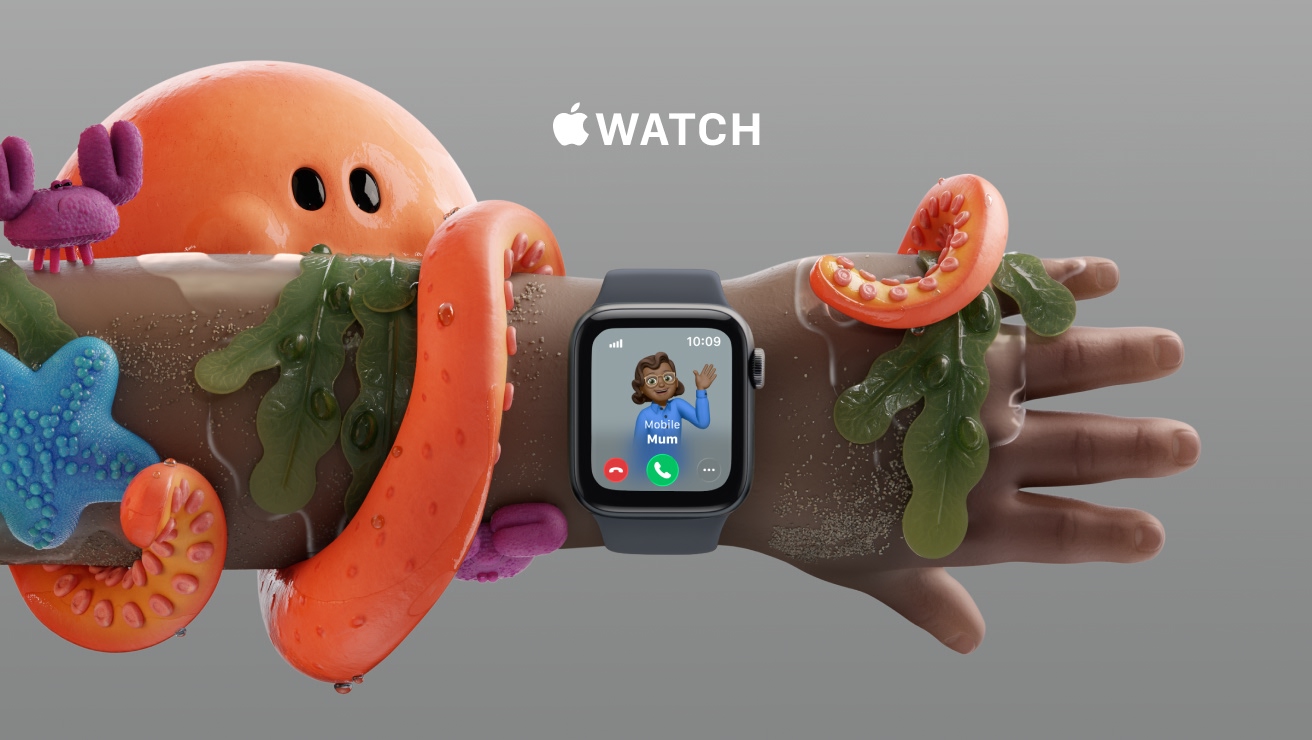
Get a standalone mobile number for your kid’s cellular Apple Watch. That’s calls, text and data – without giving them a phone. The freedom your kid wants, with the connection you both need.
You'll need a GPS + Cellular model, which means it contains an eSIM, to use Telstra One Number:
Most Galaxy phones take Telstra One Number:
You'll need a GPS + Cellular model, which means it contains an eSIM, to use Telstra One Number:
Most Google Pixel phones take Telstra One Number:
You'll need a GPS + Cellular model, which means it contains an eSIM, to use Telstra One Number:
Yes, your Apple watch needs to have cellular capability so that it can connect to the mobile (or 'cellular') network on its own and operate the same way your mobile phone does.
Smart watches come with and without cellular capacity. To make and take calls on your watch without your mobile phone nearby, you need an Apple watch cellular capable smartwatch.
You can share your number with your Apple watch cellular in 4 easy steps.
Yes, your Samsung watch needs to have cellular capability so that it can connect to the mobile (or 'cellular') network on its own and operate the same way your mobile phone does.
Smart watches come with and without cellular capacity. To make and take calls on your watch without your mobile phone nearby, you need a Samsung watch cellular capable smartwatch.
You can share your number with your Samsung watch cellular in 4 easy steps.
Samsung Watch 3 or older won’t support Telstra One Number if you’re using a non-Samsung handheld device. However, if you’re an active Telstra One Number customer using a Watch 3 or older with a non-Samsung handheld, you'll continue to get Telstra One Number service.
Yes, your Google Pixel Watch needs to have cellular capability so that it can connect to the mobile (or 'cellular') network on its own and operate the same way your mobile phone does.
Smart watches come with and without cellular capacity. To make and take calls on your watch without your mobile phone nearby, you need a Google Pixel Watch cellular capable smartwatch.
You can share your number with your Google Pixel Watch cellular in 4 easy steps.
Here's how to connect your smart watch and phone in 4 easy steps.
No, some smart watches that are cellular capable require a separate number to be connected to a mobile network. They do not accept Telstra One Number.
Today, most phones and watches are compatible with Telstra One Number. See our list of compatible devices.
If you have a Samsung Watch 3 or older and are using a non-Samsung handset and having trouble cancelling your Telstra One Number subscription using the watch app, log in to My Telstra. Alternatively, contact us between 8am and 9pm AEST or find a store.
If you're using a device that supports 5G SA (5G Standalone), please make sure to:
For smartwatch instructions, go to device guides.
Your watch will connect to the 5G SA network only if:
Your cellular-enabled smart watch will only work on a mobile network in Australia where there is Telstra mobile network coverage. When overseas, it won’t be able to use a mobile network, even if your mobile can.
Only one cellular-enabled smart watch can be connected to your Telstra mobile service at a time. If you wish to connect a different device, you can do this via the relevant watch app on your smartphone.
There is no minimum term for Telstra One Number. You can cancel at anytime.
Tips for protecting against unauthorised access
If your cellular-enabled smart watch is lost or stolen, immediately unpair it from your mobile phone and cancel your Telstra One Number subscription via the My Telstra app.
As part of the Telstra One Number subscription, you’ll be able to pair your secondary eSIM enabled device to eligible mobile handsets.
All standard voice calls and data will be consumed from the post-paid mobile service, paired with your secondary device, on your account, for use in Australia. Accordingly, if your combined usage on the secondary and primary device exceeds the allowance on your plan, excess charges may apply. The monthly Telstra One Number charge will start as soon as you have committed to purchase your Telstra One Number subscription. Your monthly charge will be charged in advance for the monthly period. The monthly charge will continue until your subscription is cancelled. If you cancel your subscription part way through a month, you will not be entitled to a refund for an unused portion of the service for that month.
It is your responsibility to ensure you have capable primary and secondary devices in order for pairing to work after Telstra One Number is activated. If your Telstra One Number subscription is cancelled, the paired secondary devices will not be able to access our mobile network anymore. It is your responsibility to ensure that you keep your secondary device secure from use by other people.
Telstra reserves the right to cancel or suspend your Telstra One Number subscription if you have materially breached the terms of your primary service (including your obligations to pay).
The standard terms and conditions of your primary service also apply to your use of our network on your secondary service.
View your services, pay your bill, troubleshoot tech issues, contact us via messaging and much more.
More information about Telstra One Number can be found in our support section.
Questions about Telstra One Number? Get in touch and we’ll help you as soon as we can.
We're here to answer your questions.