Compare eero modems | eero 7 and eero MAX 7 with Wi-Fi 7 | Telstra
Extend your home Wi-Fi with eero
Cover your home with fast, secure Wi-Fi that works. eero 7 and eero MAX 7 modems with Wi-Fi 7 and TrueMesh. Now at Telstra.

TrueMesh: what makes eero different.
TrueMesh helps keep you on the best Wi-Fi connection possible. Here’s how.

TrueMesh
Actively finds the best path for your data transfer, limiting interference and helping keep your Wi-Fi connection fast and reliable.
TrueRoam
lets your devices switch to the best eero, if you have more than one, to help your Wi-Fi stay strong as you move about your home.
TrueChannel
Picks the best eero Wi-Fi channel for each of your devices, helping them perform at their best.
eero 7 and eero MAX 7.
Compare eero modems.
Live, work and play in the internet’s fast lane with the latest Wi-Fi 7 technology on board.
-
eero 7
$8/mth
For 36 months or $288 outrightMinimum cost from $288 plus your chosen plan costs over 36 months.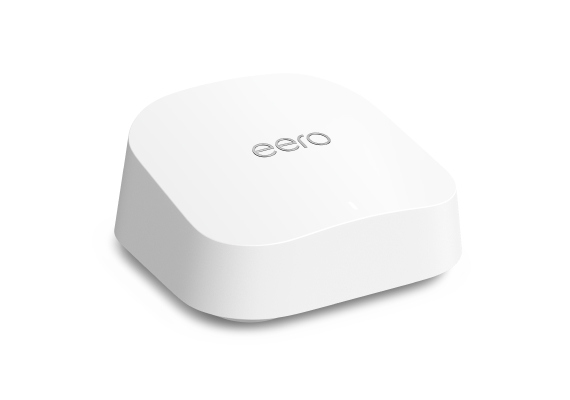
-
Dual-band Wi-Fi 7
-
Wi-Fi coverage up to 190m2
-
HD streaming and gaming with low latency
-
Smooth Wi-Fi performance with next-gen speeds
-
Patented Truemesh technology
-
Advanced digital security with latest data encryption
-
Compatible with all generations of eero
-
-
eero Max 7
$22.77/mth
For 36 months or $820 outrightMinimum cost from $820 plus your chosen plan costs over 36 months.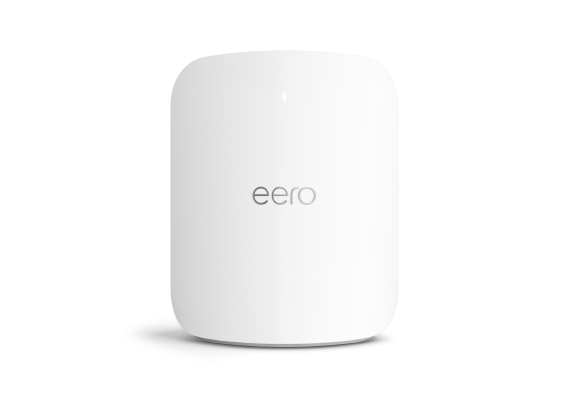
-
Tri-band Wi-Fi 7
-
Wi-Fi coverage up to 230m2
-
Ultra high performance, low latency gaming
-
Lightning-fast Wi-Fi performance with up to 4Gbps speeds
-
Patented Truemesh technology
-
Advanced digital security with latest data encryption
-
Compatible with all generations of eero
-
Super simple setup
Your eero Wi-Fi 7 modem is ready to go right out of the box.
-
Choose your eero
Compare eero 7 and eero MAX 7 to get the right Wi-Fi 7 modem for your home.
-
Get it delivered free
We’ll ship your new eero modem direct to your door in a few days metro or up to 7 days rural.
-
Plug in, download and go
Download the app, plug in your new eero Wi-Fi modem and find the best spot for a strong Wi-Fi connection.
Why eero

Smart security
eero uses world-class encryption and security features that are compatible with the latest security protocols available for Wi-Fi today, to help keep your network safe.

Always improving
Your eero Wi-Fi network updates automatically with new features and improvements to help keep it getting better. You can also expand your Wi-Fi network by adding more eero mesh devices.

One app to manage it all
Easily manage your eero mesh Wi-Fi from the app on your phone.
- Check your speed and see which devices are online
- Diagnose and fix issues with a quick Health Check
- Set schedules or pause the internet with parental controls
- Share your Wi-Fi with friends or set up a guest network for visitors.
Things you need to know
Some features require linking your Amazon account, and downloading the Alexa application or using a compatible Alexa device. Internet connection speeds and availability depend on the current internet speed you have with your current internet provider; if your internet provider does not provide you with the maximum supported speed, you will not experience that maximum speed.
Maximum network speeds, if applicable, reflect combined supported speeds across wired and wireless clients. Maximum wireless signal rates are derived from IEEE 802.11 standard. Specifications assume wired Ethernet connection; your experienced speed may vary when connected to an eero device that is configured as a wireless extender. Coverage estimates are based on normal use conditions. Actual range and performance can vary, and maximum supported speeds may not be available to all customers, due to factors such as local regulations (including power limits), network configuration, interference, connected devices, device usage, building materials, and obstructions.
See https://eero.com/legal for more details regarding terms for eero products, software and services. For more information about eero performance, visit support.eero.com
Questions about eero?
Get in touch and we’ll help you as soon as we can.
My Telstra app
View your services, pay your bill, contact us via messaging and much more.
Support
More information about eero setup can be found in our Support section.
Contact us
We're here to answer your questions.